
About
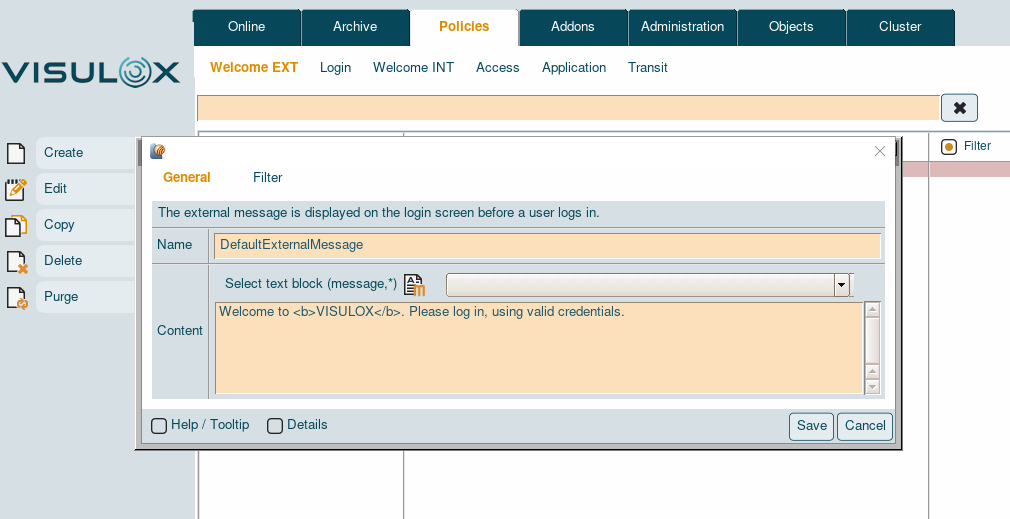
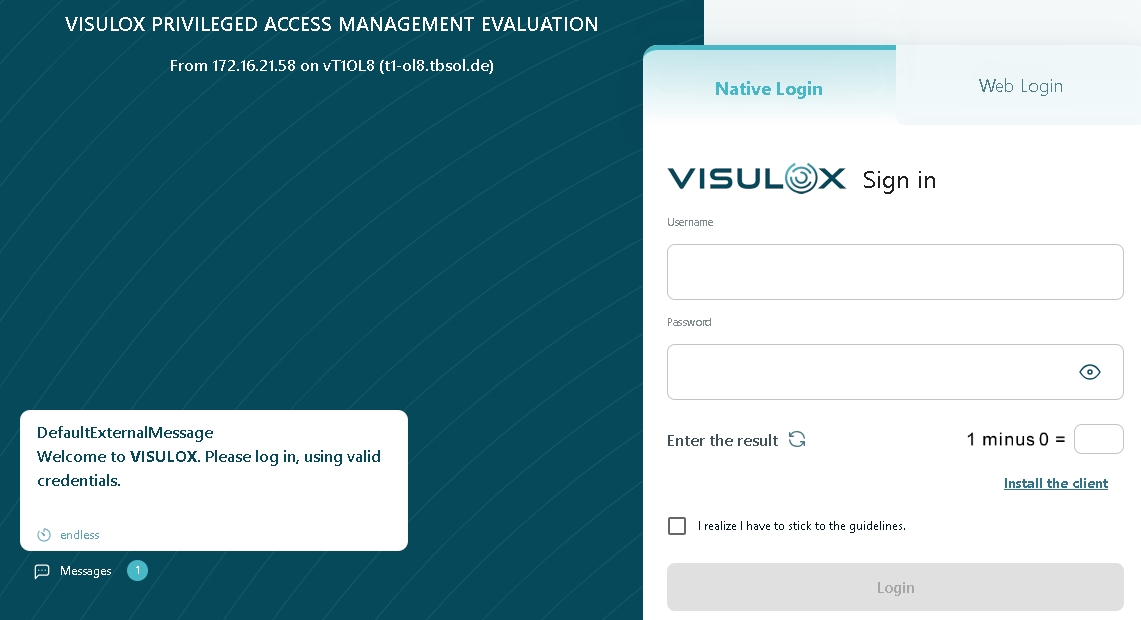
Based on the Access Point it is possible to display a message on the login page. This piece of information has a time interval, from when and how long the information will be presented to the user before login.
The text can be entered manually or chosen from a text catalog (see also: Messages in VISULOX). |
Definition
|
|
Presentation
|
|
Allowed tags in messages
|
Modes |
Tag |
|---|---|
|
bold |
<b>text</b> |
|
center |
<center>text</center> |
|
italic |
<i>text</i> |
|
line break |
<br> |
|
horizontal line |
<hr> |
|
link |
<a href="link">link text</a> (Be careful: only one link per line!) |
Allowed placeholders in messages
|
%OWNER% |
%HOST% |
%NODE% |
%GWIP% |
%SYSTEMID% |
|
%OWNERID% |
%HOSTSHORT% |
%RIP% |
%GWIPLAST% |
%LICENSE% |
|
%OWNERSHORT% |
%HOSTIP% |
%AP% |
%GWHOST% |
%CUSTOMER% |
|
%FULLNAME% |
%HOSTIPLAST% |
%APNODE% |
%GWNODE% |
|
Configuration
The minimum words and the maximum length of the message can be set via a configuration parameter.
visulox config list -name  entry.minwords.external_message_policy

    --------------------------------------------------------------
    | parameter                              |      type | value |
    --------------------------------------------------------------
    | entry.minwords.external_message_policy | OPERATION | 1     |
visulox config list -name entry.maxlength.external_message_policy

    -----------------------------------------------------------------
    | parameter                               |      type | value   |
    -----------------------------------------------------------------
    | entry.maxlength.external_message_policy | OPERATION | default |
    -----------------------------------------------------------------
If default is set, the default value will be used for the message. These default values can also be adjusted:
All configuration parameters set to default will also have the new values after these settings are changed.
visulox config list -name entry.minwords.default

    ----------------------------------------------
    | parameter              |      type | value |
    ----------------------------------------------
    | entry.minwords.default | OPERATION | 0     |
    ----------------------------------------------

visulox config list -name entry.maxlength.default

    -----------------------------------------------
    | parameter               |      type | value |
    -----------------------------------------------
    | entry.maxlength.default | OPERATION | 255   |
    -----------------------------------------------
All external login messages can be disabled with:
visulox config -name design.ui4.loginmessages=false