
Time zones
Each VISULOX installation has different time zone aspects.
-
The time zone of the users
-
The time zone of the access plattform (VISULOX)
-
The time zone of the applications
VISULOX handles everything in UTC internally.
The VISULOX Cockpit has the ability to select a time zone. This allows the user to see, what a presented time would be in that selected time zone.

The important part is the access control of a user through VISULOX to an application.
|
User |
VISULOX |
Application |
|---|---|---|
|
|
Access control |
Application control
|
|
|
Starttime - endtime Time profile |
Time zone |
|
User1 / TZ(1) |
VLX1 / TZ(a) |
Appl1 / TZ(α) |
|
User2 / TZ(2) |
Appl2 / TZ(β) |
|
|
|
|
|
|
User3 / TZ(3) |
VLX2 / TZ(b) |
Appl3 /TZ(γ) |
|
User4 / TZ(4) |
|
Appl4 / TZ(δ) |
VISULOX Access Control defines when a user has access to an application. The time zone view is the access platform, this means the time zone of VISULOX.
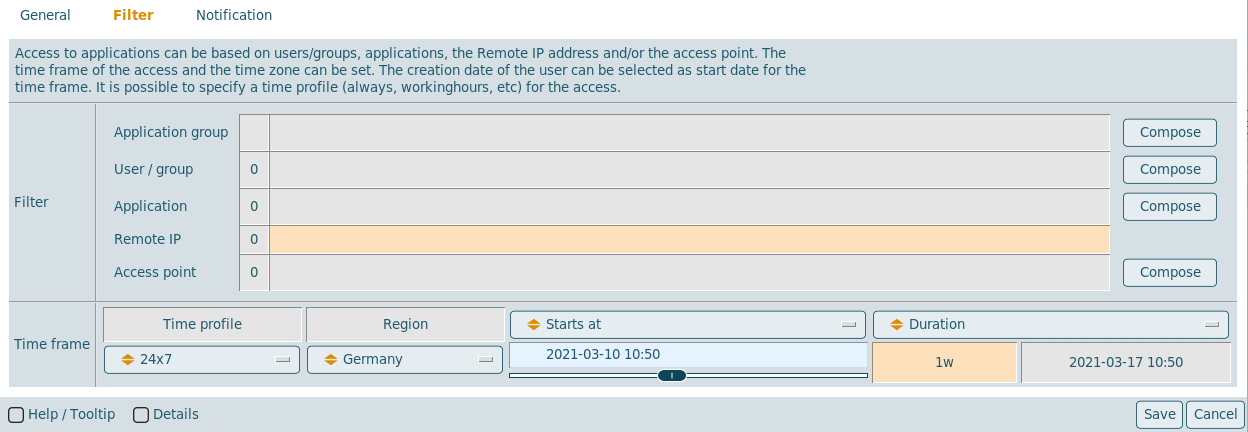
To control the access to the application based in the profile, the access control system must know in what time zone the application is.
If the time zone is set for the application starttime, endtime and time profiles are checked against this alternate time zone.
Holidays
In VISULOX Cockpit / Administration/ Regions the available regions are displayed with their predefined holidays:
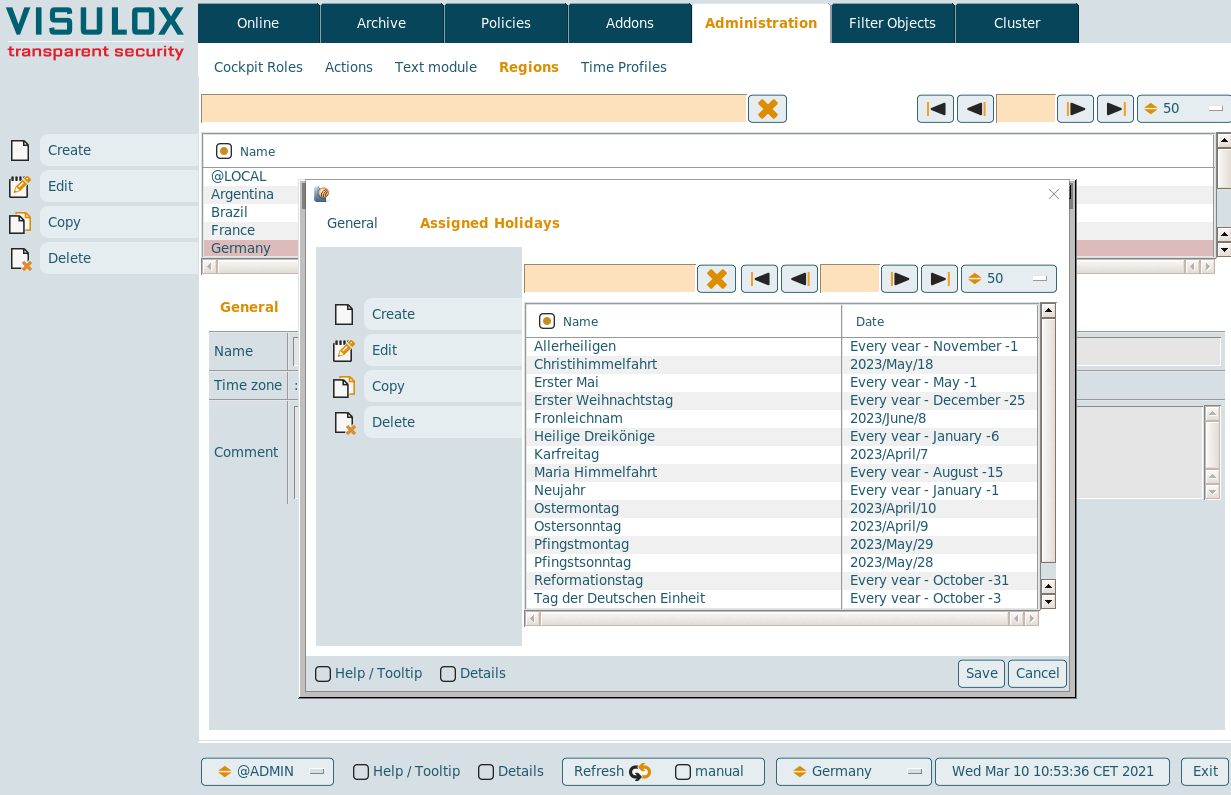
A new region and holidays can be created or existing entries can be adjusted.
Time profiles
New time profiles can be created in VISULOX Cockpit / Administration / Time Profiles:
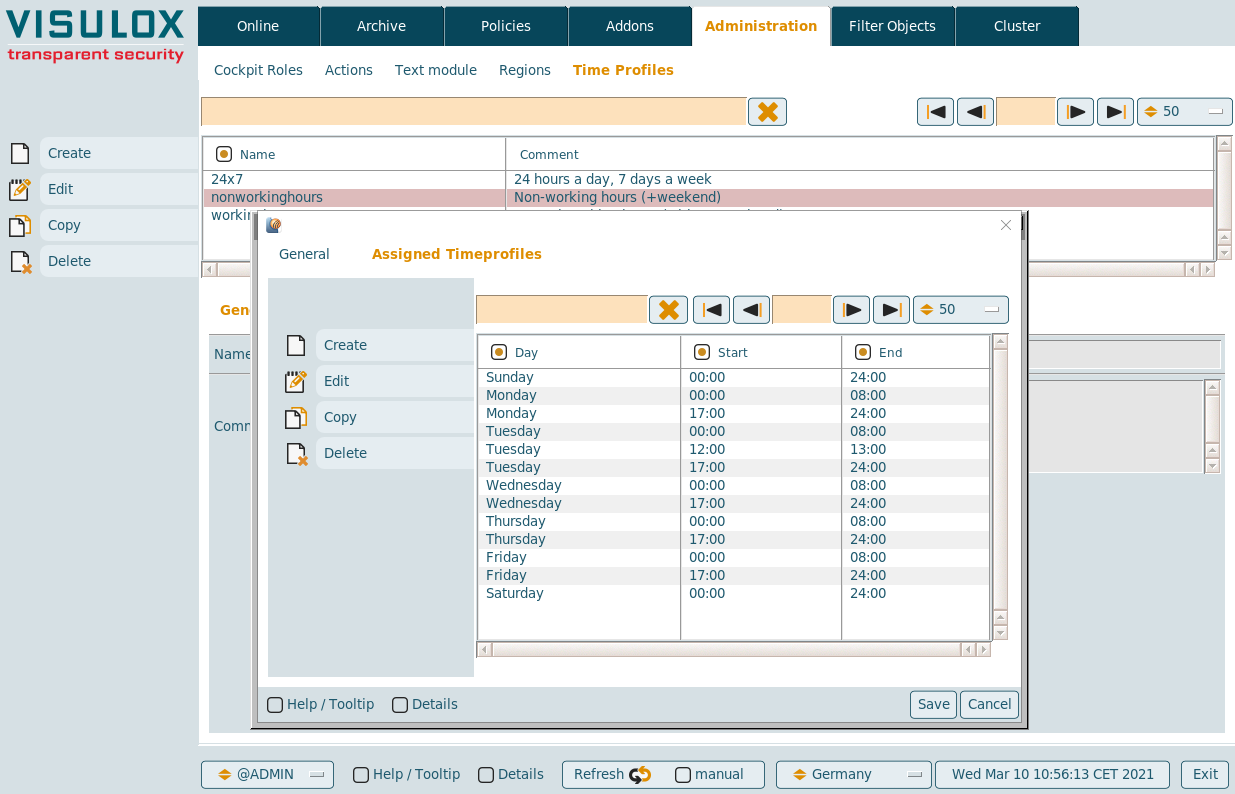
Existing default profiles are:
-
24x7: 24 hours a day, 7 days a week
-
workinghours: Normal working hours (without weekend)
-
nonworkinghours: (+weekend)