

Overview
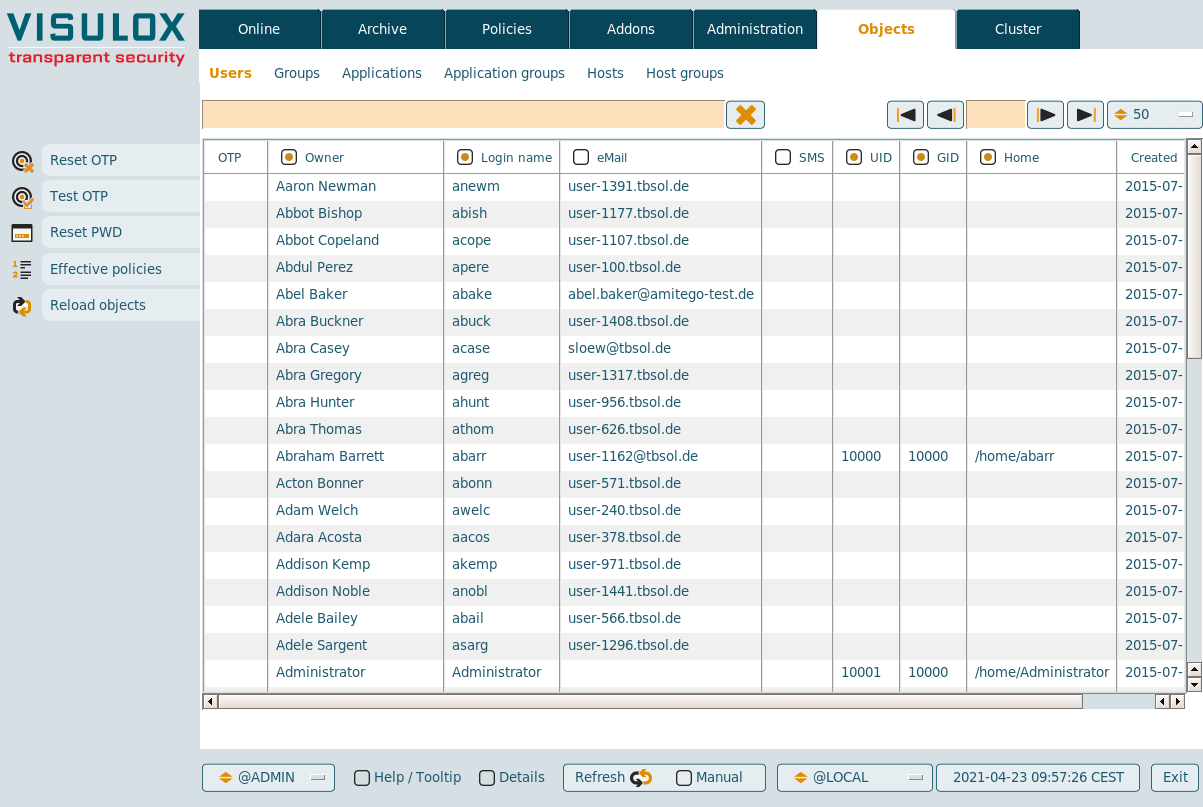
In Cockpit / Objects the users, groups, applications, application groups, hosts and host groups imported from datasources are displayed in a table.
In Objects / Users, the OTP configuration of users can be handled and passwords can be reset. The effective policies belonging to a selected user can be displayed.
It is also possible to start import from datasources manually.
In Objects / Applications applications can be edited or created and the host / service availability can be checked for the selected entry.
Available features
-
Reset OTP: The OTP keys of selected users can be reset via the Reset OTP button.
-
Test OTP: Test of the OTP configuration of the selected user.
-
Reset PWD: Passwords can be reset for the selected AD / LDAP users.
-
password.reset=true has to be set and datastore must have an AD user with the necessary rights
-
password.notify can have an action script name, which will be triggered to inform the user about the new password
-
Multiple passwords can be reset at once
-
Information is copied to clipboard on request.
-
With the command visulox pwdmgmt,, the password status can be checked and an action script can be used, e.g. if a password expires in x days
(See: How to control Password Management from the command line)
-
Multiple connected datasources are supported
-
-
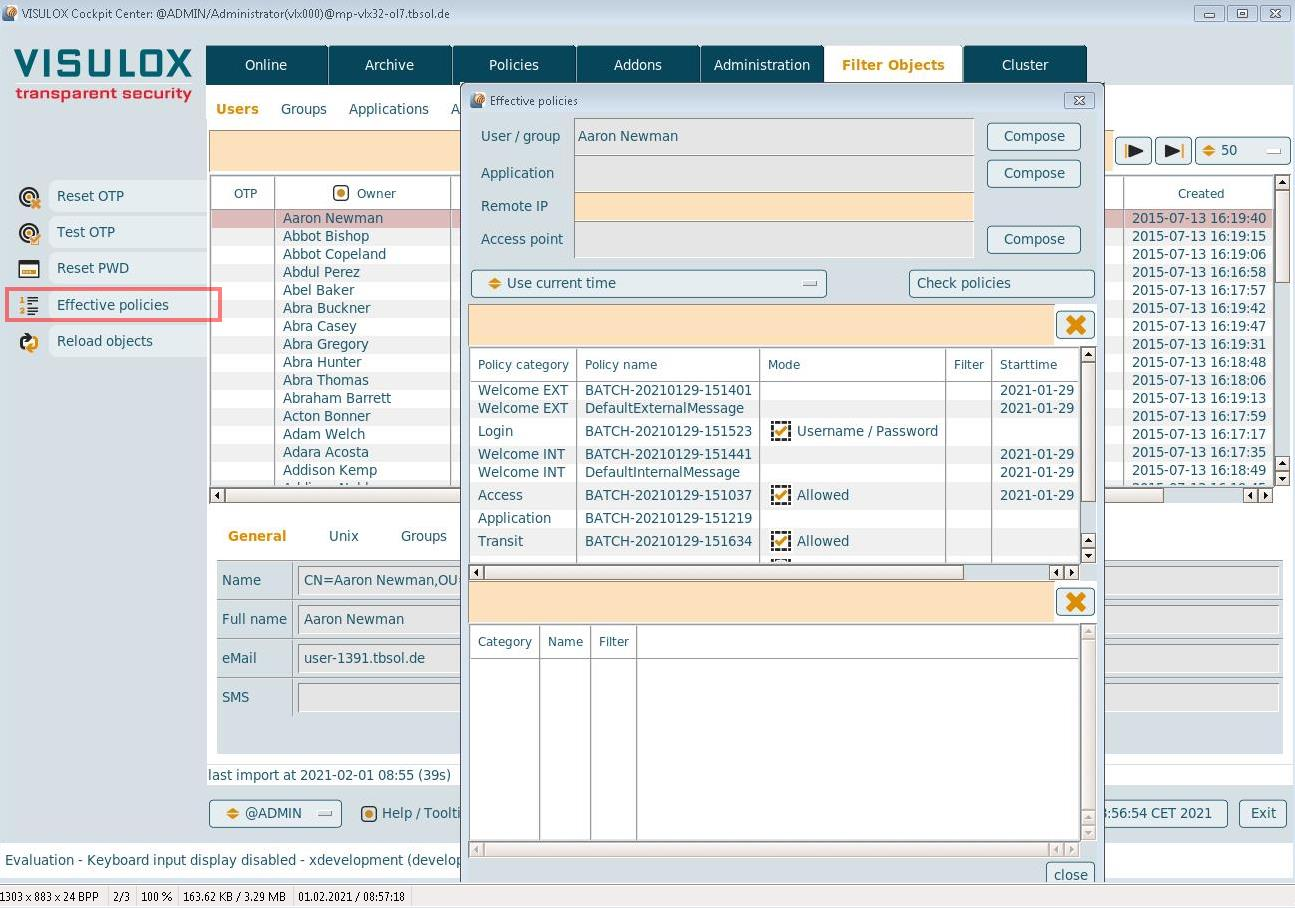
Effective policies
The effective policies for an entry can be displayed:
-
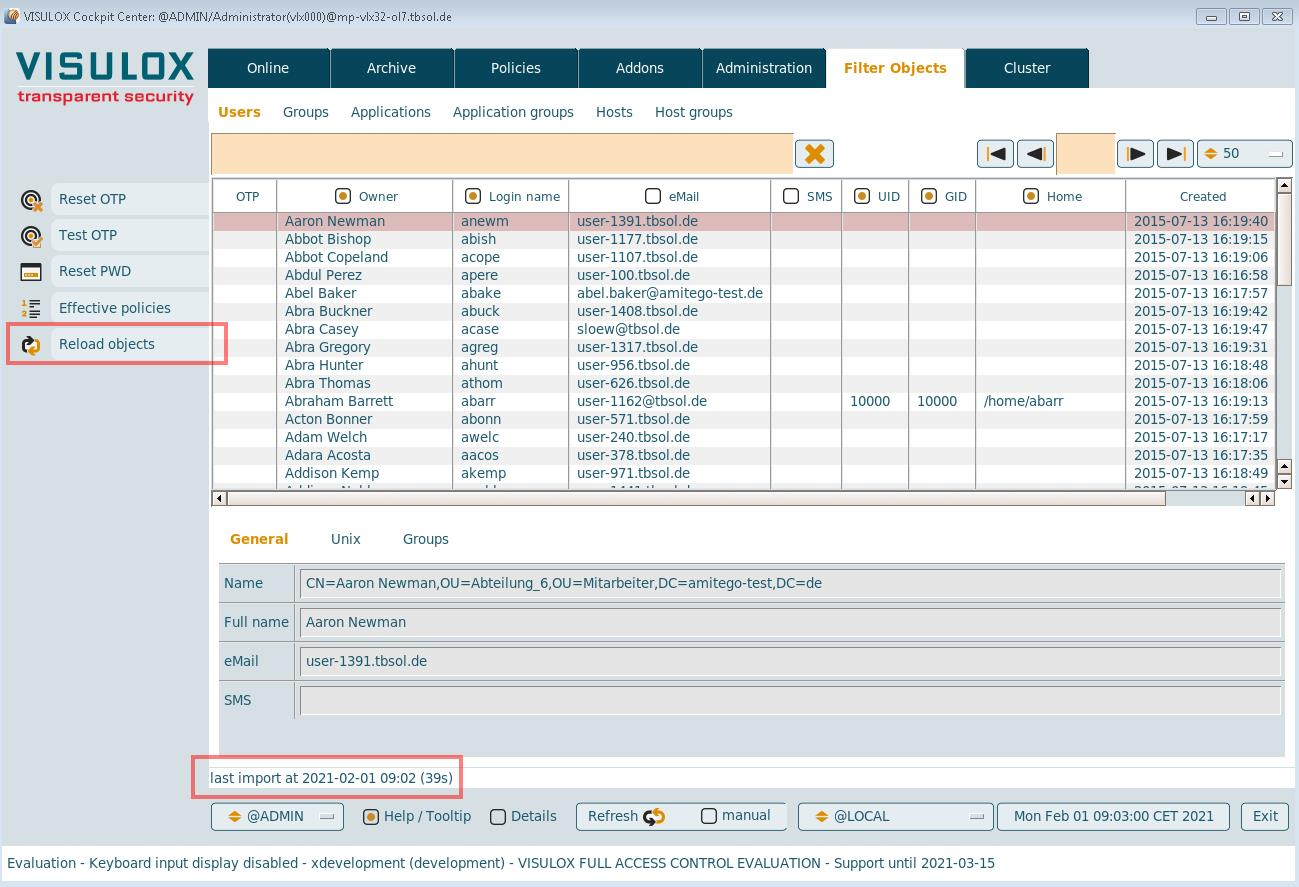
Reload Objects
Objects are imported from the connected datasources and the duration is shown:
-
Application Assistant
Create, edit, copy and delete commands are available for applications:
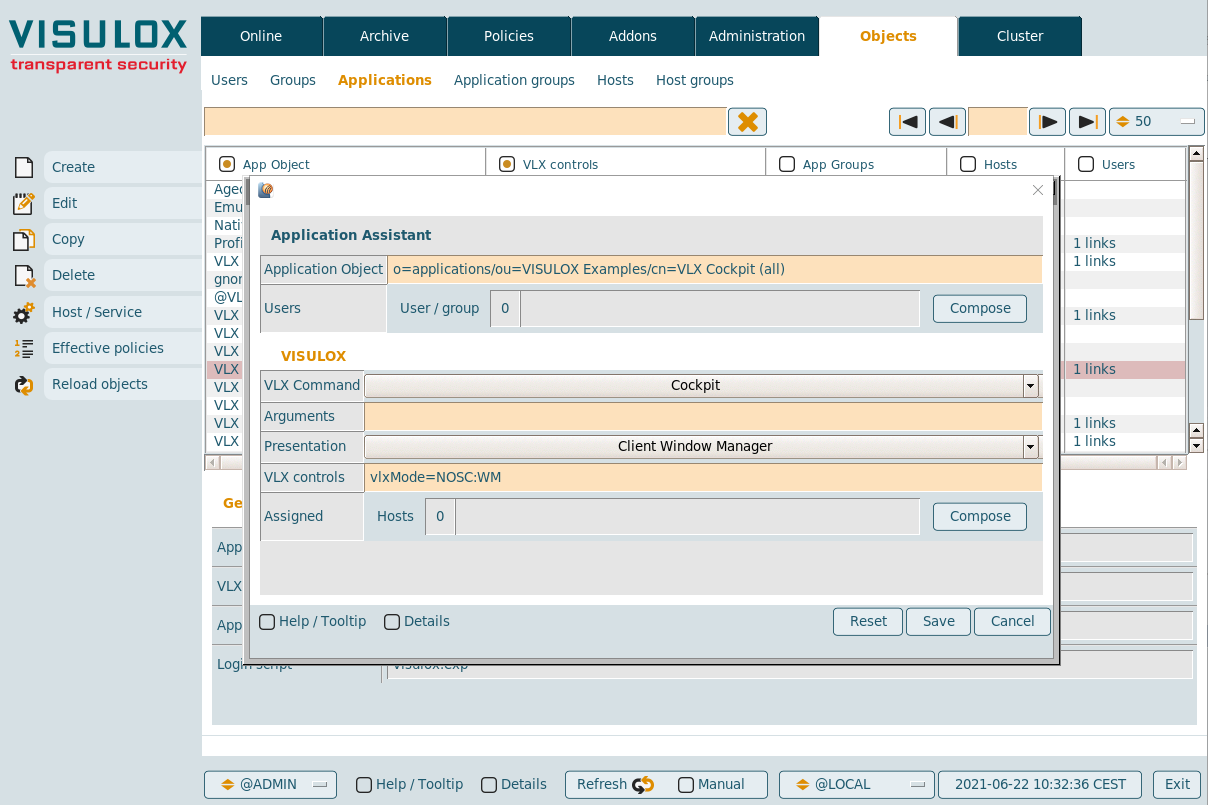
Applications can be edited or created and assigned without using the VISULOX PORTAL Console.
Character applications, dynamic applications and documents are not available.