

|
In the default VISULOX Portal setup printing is disabled. Follow this guide to setup and enable printing in VISULOX Portal. Printing is currently not supported on OL9/RH9.
|
Requirements
The following packages are needed for printing in VISULOX:
dnf install cups

systemctl start cups
systemctl enable cups

dnf install visulox-printing-4.1.0-1.el8.x86_64.rpm
Enable printer in Workspace
To display the list of current print jobs in the Workspace, use:
visulox config -name workspace.showPrinting.expand=enable
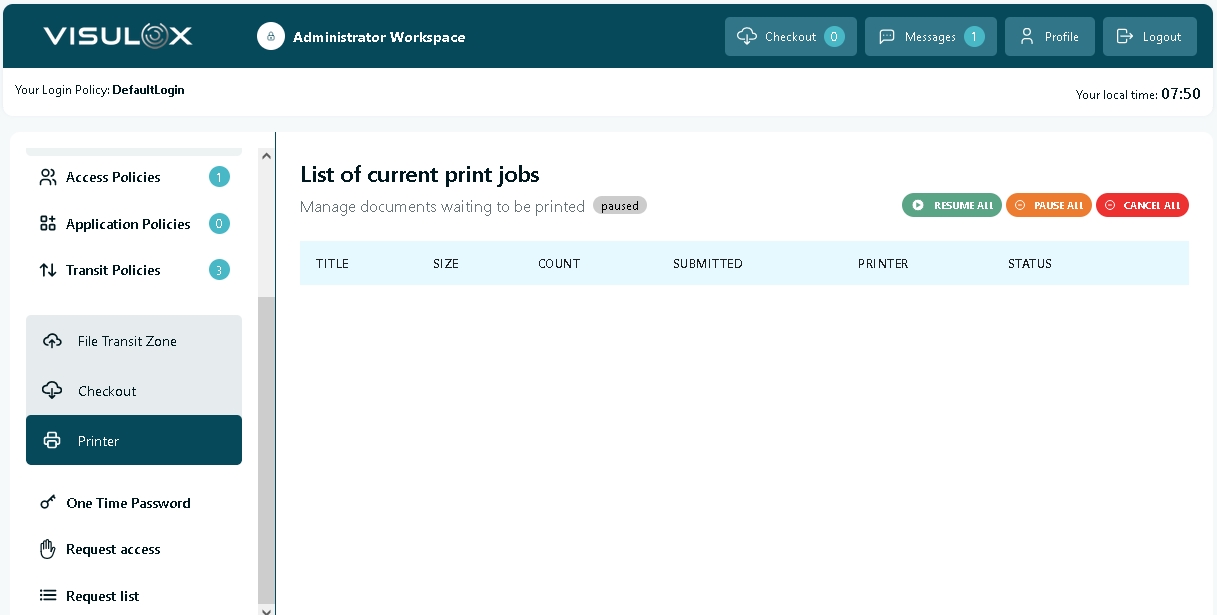
All print jobs are displayed here and can be paused, resumed and cancelled via the according buttons.
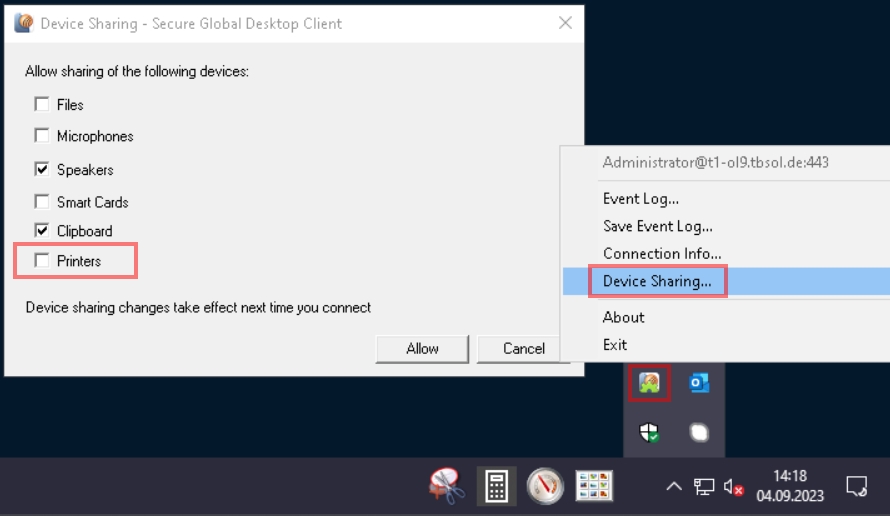
Check / enable printer device sharing for the client
Right click on the TCC-Client tray icon, select "Device Sharing..." and check "Printers":
Example setup with PDF Viewer
For a first test, use the following command to set the PDF Viewer as printer:
/opt/tarantella/bin/scripts/prtinstall.en.sh --ttahost $(hostname -f) --ttaprinter tta_pdfviewer
Example test via shell:
lp /opt/visulox/setup/example/tiger.ps
Check status
Check the setup with the lpstat and visulox-portal print status command:
lpstat -p -d
printer tta_pdfviewer is idle.  enabled since Thu 07 Sep 2023 07:04:58 AM CEST
no system default destination

visulox-portal print status
<host.domain>:
 - Printing services available
 - Jobs spooled: 0
Troubleshooting
If print jobs are not shown in Workspace as expected, use the following command:
visulox-portal print cancel --all
Delete files in the spool folder:
rm -rf /opt/tarantella/var/spool/*
Then restart the services.