
General
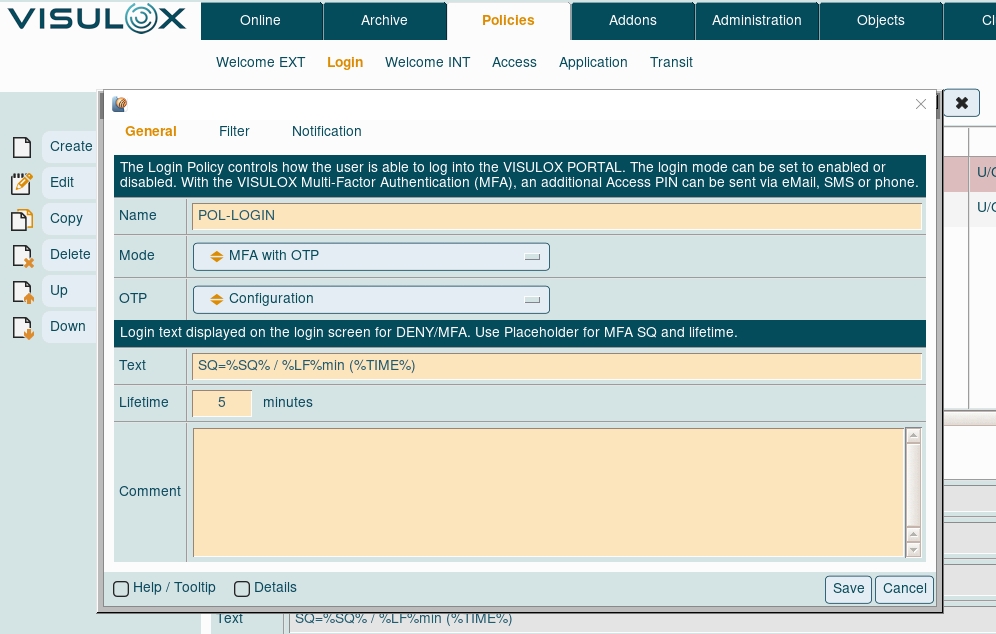
Mode
A Login Policy starts with a primary policy tag, which sets the behaviour of the policy:
|
Primary policy tags |
Description |
|---|---|
|
Ignored |
Ignore this policy. |
|
Denied |
The matching user cannot use this access point. |
|
Std Login with user name / password |
The matching user can use this access point and his Workspace is started. |
|
MFA via external Service |
The matching user can use One Time Password authentication. The access code is generated via an external service. |
|
MFA Login with OTP |
The matching user can use One Time Password authentication. The access code is generated via the OTP App. |
|
MFA Login needs verbal PIN |
The matching user can use this access point. He has to request the access token verbally. |
|
MFA Login with PIN provided via SMS |
The matching user can use this access point. The access token is sent via SMS/text message. |
|
MFA Login with PIN provided via eMail |
The matching user can use this access point.The access token is sent via eMail. |
|
MFA Login with PIN provided via eMail and/or SMS |
The matching user can use this access point.The access token is sent via eMail and /or SMS |
|
MFA Login with OTP or PIN provided via eMail and/or SMS |
The matching user can use this access point.The access token is provided via OTP or PIN sent via eMail and /or SMS |
MFA = Multi Factor Authentication | OTP = One Time Password
In case of an OTP Login Policy, the setup type can be chosen: Configuration, enabled or enforced:
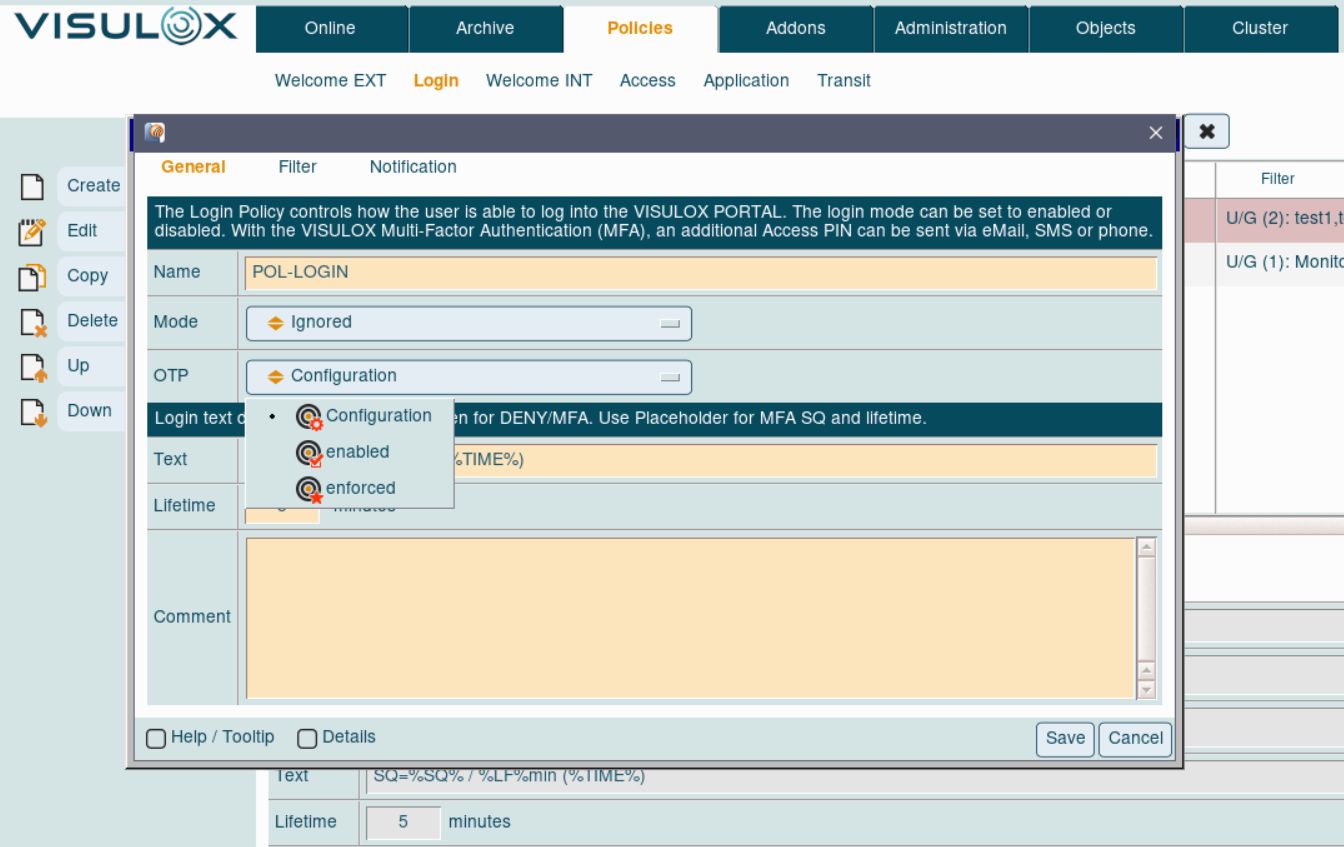
With OTP setup type configured via Login Policy it is possible to use OTP login for selected groups / users.
Setting the OTP type via configuration parameters will be applied to all users.
PIN message definition and lifetime
Depending of the primary policy tag (DENY / MFA), the message lifetime for the PIN must be configured.

The message, that is presented to the user in the login dialog.
The lifetime of the access PIN.
The message has the following place holders:
|
#SQ# |
Sequence number of the access PIN |
|
#TIME# |
The lifetime, until the access PIN gets invalid in a date format |
|
#LF# |
The lifetime in minutes, when the access PIN gets invalid |
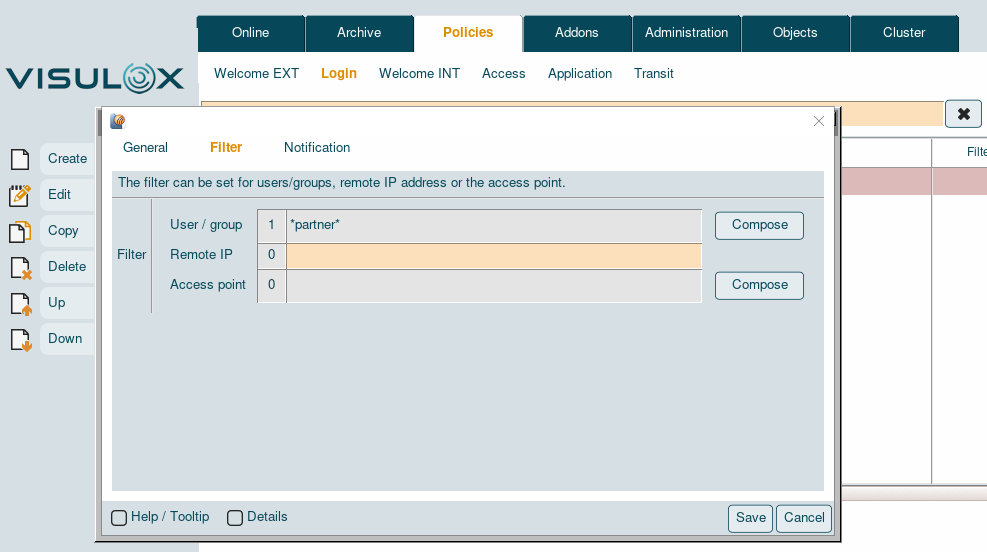
Filter
The Login Policy filter applies on a user / group the user belongs to, the remote IP of the user's connection and / or the access point, where the user wants to login.
Notification
In a Login Policy also three scripts can be defined:
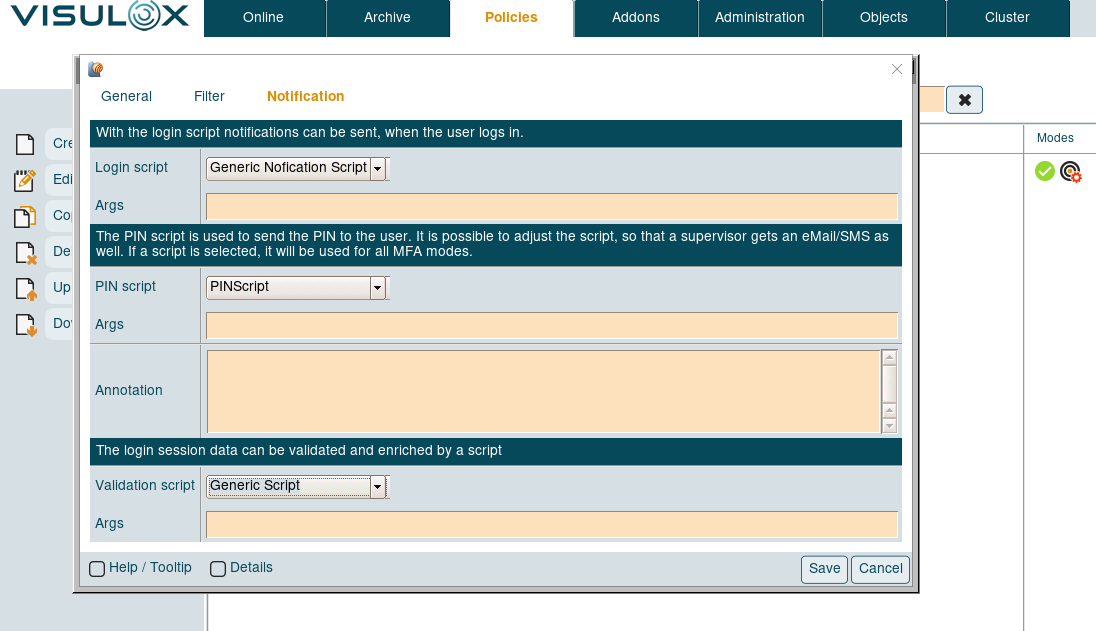
A login script which is triggered after a successful login.
A script to provide the access PIN via eMail or SMS. For these scripts also a text can be entered.
The text can have several place holders (see: Variables in notifications), like the username, etc.
The login session data can be validated and enriched by a validation script.
Arguments for each script can be entered in the according Args field.
Depending on the underlying script, the format of the arguments can be: -arg -arg1 -arg2 <>