
|
Passcache is available for applications, File Transit,
|
Passcache works for RDP and SSH. (NOT TELNET! If needed, please request implementation).
Passcache
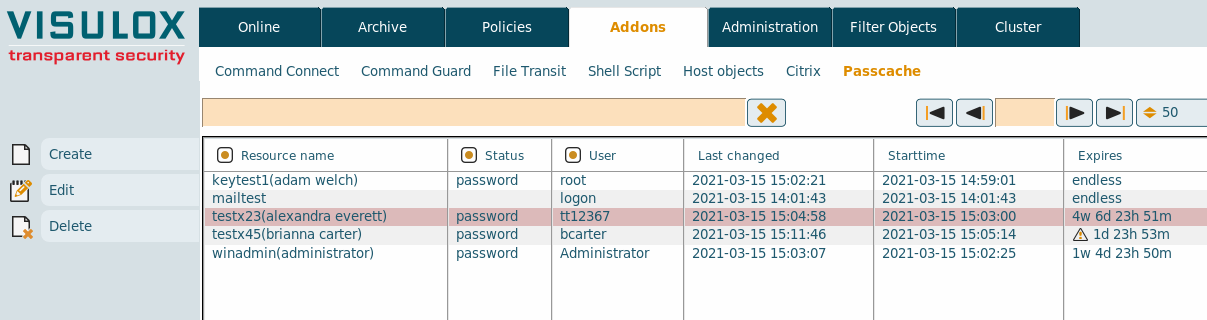
New passcache entries can be created and existing entries can be edited or deleted.
Configuration
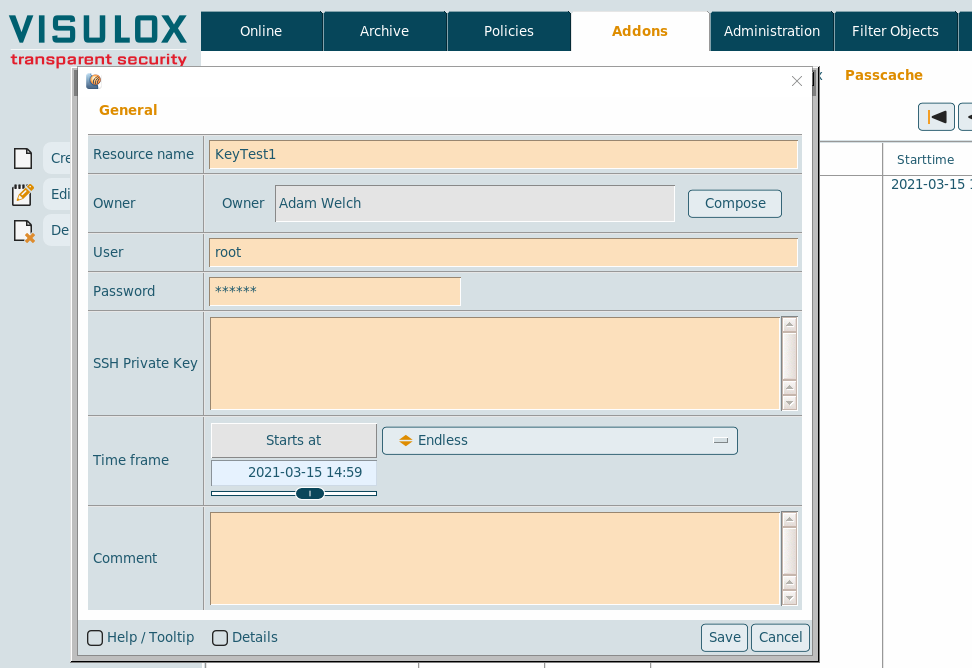
|
Setting |
Description |
|---|---|
|
Resource name |
Name of the resource. A resource is limited to 15 characters, alphanumeric only. |
|
Owner |
Assigned user to the resource (leave empty for global ressources) |
|
User |
Resource user (%USER% variable can be used) |
|
Password |
Resource password |
|
SSH Private key |
Resource SSH Private Key |
|
Time frame |
Time frame. If expiration time is reached, the entry will be deleted. |
|
Comment |
Comment for the resource |
If an owner is set, the owner must be set also, where the resource is used, e.g. Command Connect resource field: <resource-name>%OWNER%
For standard applications, a resource can be set in the hint field of the application with vlxResource=<resource-name>.
SMS4
Important: SMS4 needs three elements: CustomerID, a user and a password. VISULOX resource can manage only two elements: user and password.
For SMS4 the resuser is a concatenation of CustomerID and user with a ":".
visulox passcache edit -resource SMS4 -resuser <KDNR:USER> -respwd <PASSWORD>
Related articles
How to configure FreeRDP for VISULOX PORTAL
How to control passcache from the command line
How to control FT Client from the command line
VISULOX addon command line interface (CMD Connect / Guard, etc)