
What is a Portal Server?
A Portal Server is a VISULOX instance responsible for:
-
handling user authentication
-
managing sessions
-
serving the administration interface
-
coordinating application access
In clustered environments, multiple Portal Servers can work together to provide:
-
high availability
-
load distribution
-
redundancy
Each Portal Server has a defined role within the cluster.
Roles
Master
The Master Portal Server is the primary node in the cluster.
It is responsible for:
-
Cluster coordination
-
configuration management
-
synchronization with other nodes
Only one Master server exists within a cluster.
Worker
A Worker Portal Server operates as a secondary node and:
-
handles user sessions
-
executes workload assigned by the Master
-
contributes to load distribution and scalability
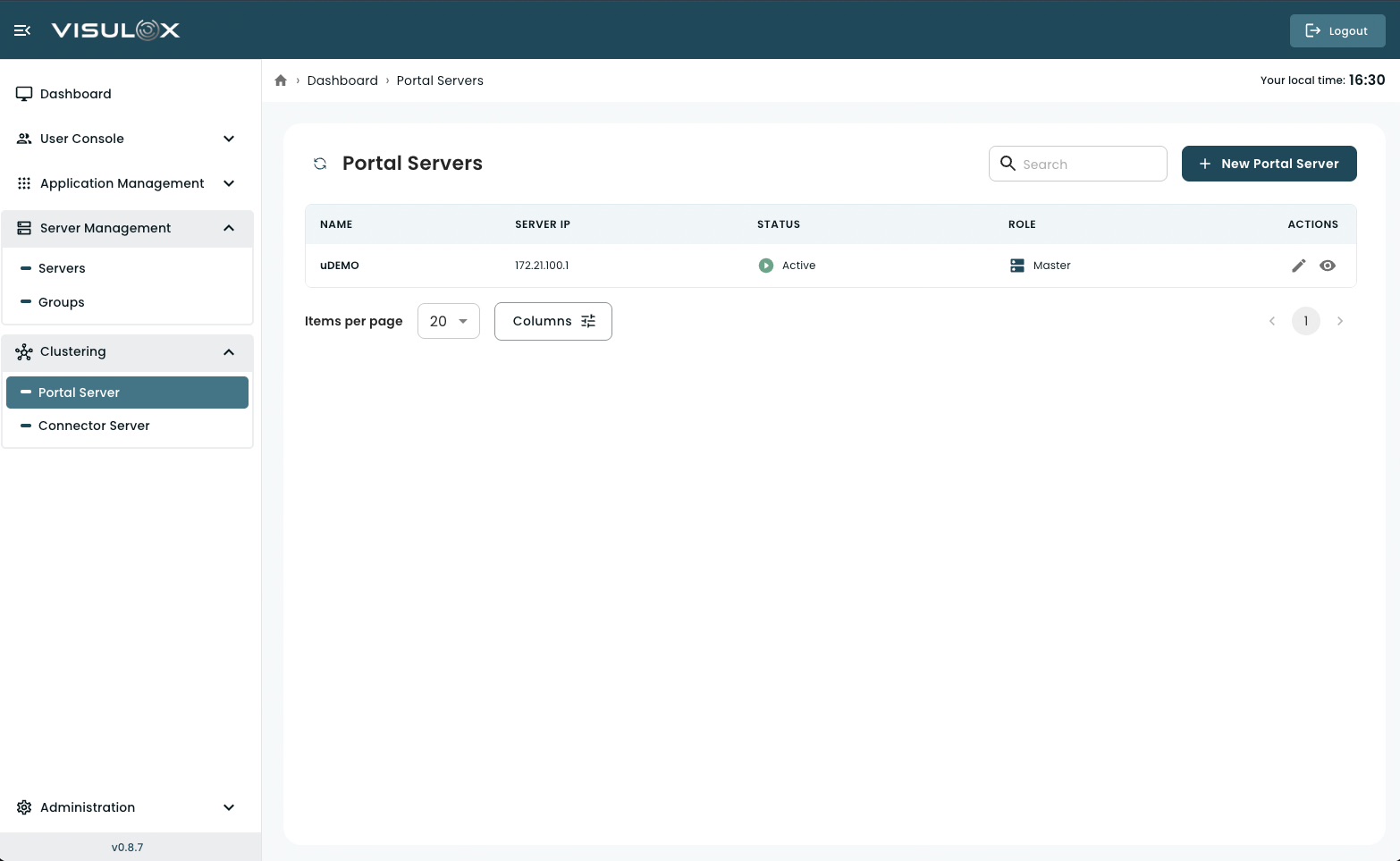
Portal Servers Page Overview
The Portal Servers page provides an overview of all configured Portal nodes.
For each server, the system displays:
-
Server name
-
Server IP address
-
External DNS name
-
Current status (Active / Inactive)
-
Cluster role (Master / Worker)
From this page, administrators can:
-
add a new Portal Server
-
review server details
-
modify configuration
-
monitor cluster status
Managing Portal Servers
Adding a New Portal Server
Click + New Portal Server.
Enter the required server details.
Save the configuration.
After configuration, the server can join the cluster.
Portal Server Configuration (Field-by-Field)
1. Name
The name of the Portal Server
-
should follow organizational naming conventions
-
is used to identify the node within the cluster
2. Server IP
The IP address assigned to the Portal Server
-
is used for internal communication
-
must be reachable from other nodes
3. External DNS Name
The public DNS name of the Portal Server
-
Example:
portal.company.com -
is used by users to access the system
4. Session Peer DNS Name
The DNS name used for session peer connectivity
-
is used for communication between cluster nodes
-
hhould resolve correctly within the internal network
5. Role
Defines the role of the server within the cluster:
-
Master
Primary node responsible for coordination -
Worker
Secondary node handling workload and sessions
Viewing a Portal Server
Click the View icon to review the server details in read-only mode.
Editing a Portal Server
Click the Edit icon to update configuration settings such as:
-
Name
-
IP address
-
DNS settings
-
Role
Changes take effect after saving.
Status Indicator
The Status column shows whether the Portal Server is:
-
Active → Running and reachable
-
Inactive → Not reachable or not running
Monitoring this status helps ensure cluster stability.