
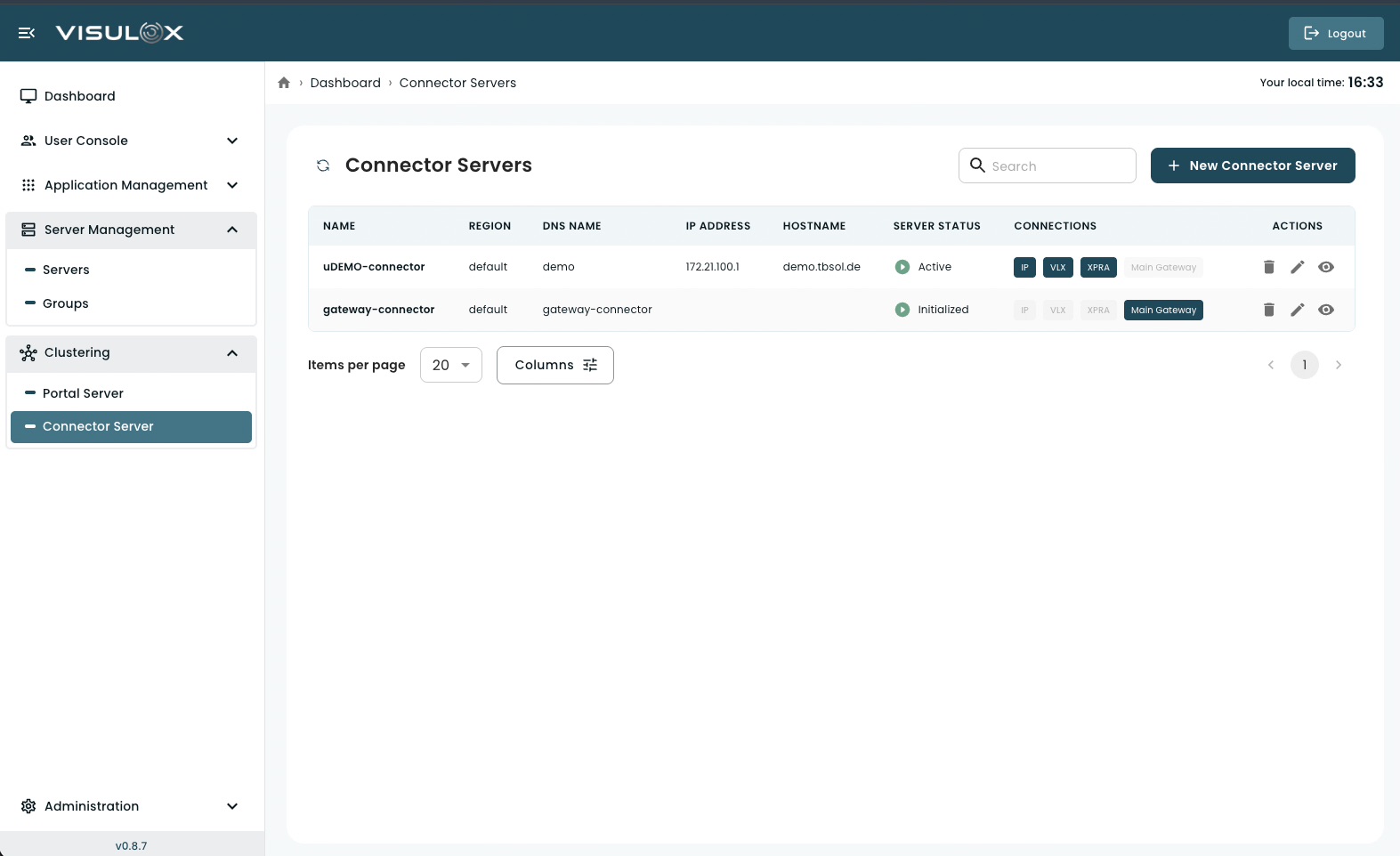
What is a Connector Server?
A Connector Server is responsible for handling remote session traffic between users and backend application servers.
While the Portal Server manages authentication and coordination, the Connector Server:
-
establishes session connections
-
routes traffic to target servers
-
manages protocol-level communication
-
acts as a gateway between users and application infrastructure
Connector Servers are essential in distributed or clustered deployments.
Key Concepts
Region
Connector Servers can be organized by region.
-
Useful for geographically distributed environments
-
Helps control routing and locality of connections
Server Status
Indicates the operational state of the Connector:
-
Active → Fully operational
-
Initialized → Registered but not fully active
Monitoring status ensures proper routing and availability.
Connections
Defines which connection types are enabled on the Connector Server:
-
XPRA → For graphical Linux sessions
-
VLX → VISULOX protocol
-
Main Gateway → Central routing gateway
These determine how the Connector handles traffic.
Connector Servers Page Overview
The page displays all configured Connector nodes with:
-
Name
-
Region
-
DNS name
-
IP address
-
Hostname
-
Server status
-
Active connection types
From this page, administrators can:
-
add new Connector Servers
-
review configuration details
-
modify existing connectors
-
remove connectors
-
search and filter entries
-
navigate using pagination
Managing Connector Servers
Adding a New Connector Server
Click + New Connector Server.
Enter the required configuration details.
Save the configuration.
After setup, the Connector Server can join and operate within the system.
Connector Server Configuration (Field-by-Field)
General Information
1. Name
The name of the Connector Server
-
is used for identification within the system
-
should follow naming conventions
2. Description
Optional description
-
can include purpose, environment, or role
Addressing & Host Configuration
3. Region
Defines the region of the Connector Server.
-
Used for grouping and routing decisions
4. DNS Name
The DNS name of the Connector Server
-
is used for network resolution
5. IP Address
The IP address of the Connector Server
-
must be reachable by other system components
6. Hostname
The hostname of the Connector Server
-
typically matches system hostname
Connection & Routing
7. Can connect with XPRA
Enables handling of XPRA-based sessions.
8. Can connect with VLX
Enables VISULOX protocol connections.
9. Can connect with Main Gateway
Allows routing through the main gateway.
Access Control
10. Available on IP Address
Restricts availability based on IP address.
-
When enabled, the connector is accessible via its IP
Viewing a Connector Server
Click the View icon to review the configuration in read-only mode.
Editing a Connector Server
Click the Edit icon to update:
-
General information
-
Addressing details
-
Connection settings
Changes take effect after saving.
Deleting a Connector Server
Click the Delete icon to permanently remove the Connector.
Removing a Connector may interrupt active or future session routing.