
General
The possibility to create Access Tokens and configure the permissions for the API access is implemented in the VISULOX Dashboard.
With these tokens a user with administrative rights is able to:
-
create access
-
revoke access
-
set detailed permissions
Prerequisites
For this test setup one user with administrative access to the VISULOX PORTAL is needed.
Dashboard URL: https://<hostname.domain>:<port>/dashboard/login
Example user:
|
Name |
Profile |
Login name |
|---|---|---|
|
Administrator |
Administrator User Profile |
develadmin |
Enable access via tokens for API access in the VISULOX Dashboard
Administrator logs into the VISULOX Dashboard.
Once logged in, the administrator selects Access Tokens on the bottom left:
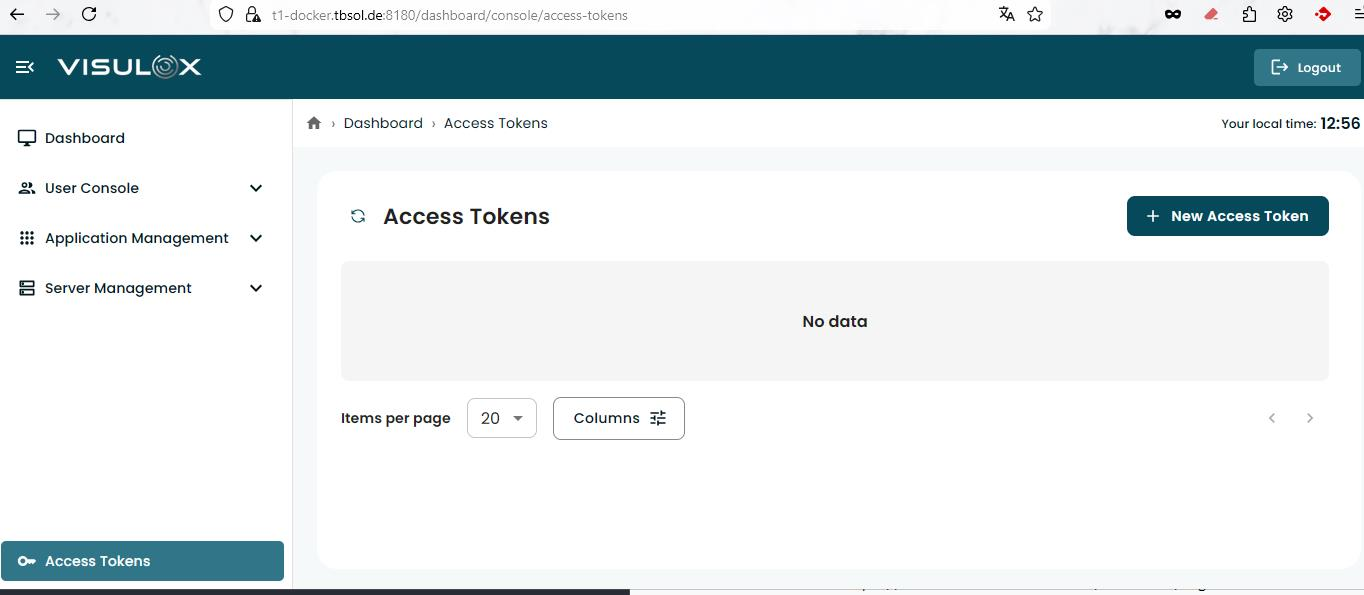
The administrator creates a new access token via the + New Access Token button.
The general information fields have to be filled out:
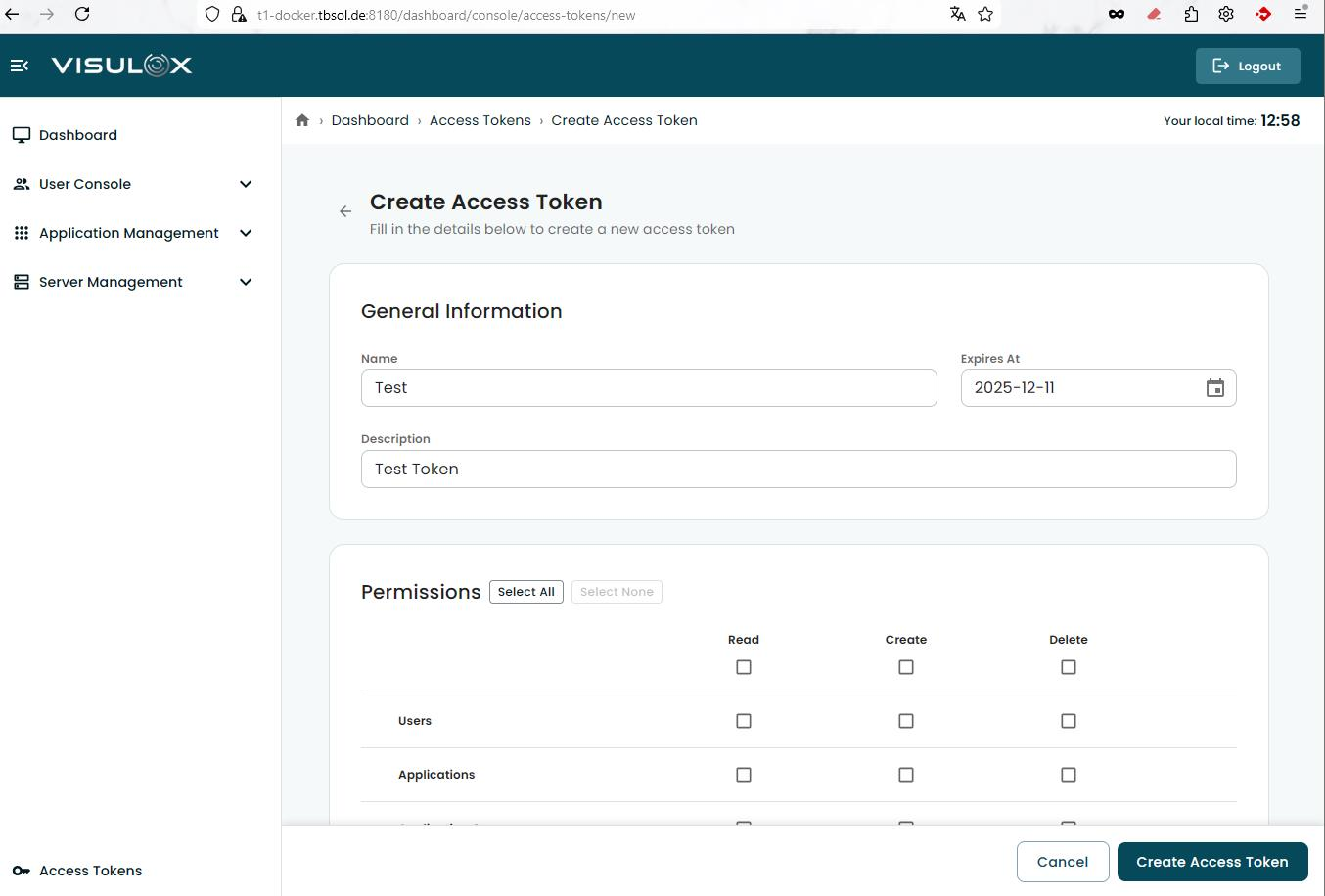
Name (required) / Expiration date (required) / Description (optional) / detailed permissions (read, write, delete).
With the Create Access Token button, the token will be created.
A new window is opened and the following items are copied into clipboard on click:
-
API key
-
API Secret
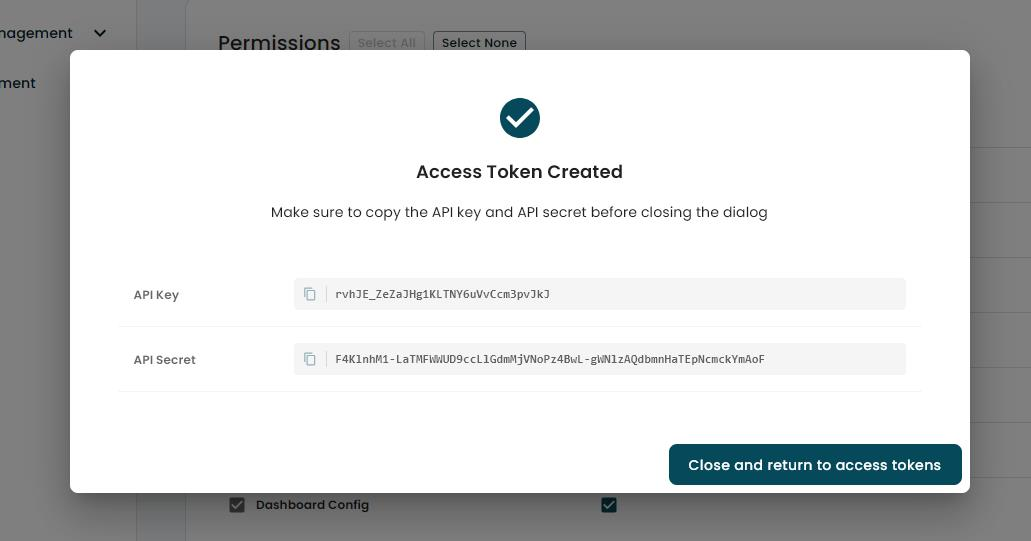
When done, using the Close and return to access tokens button, the Access token is shown in token list:
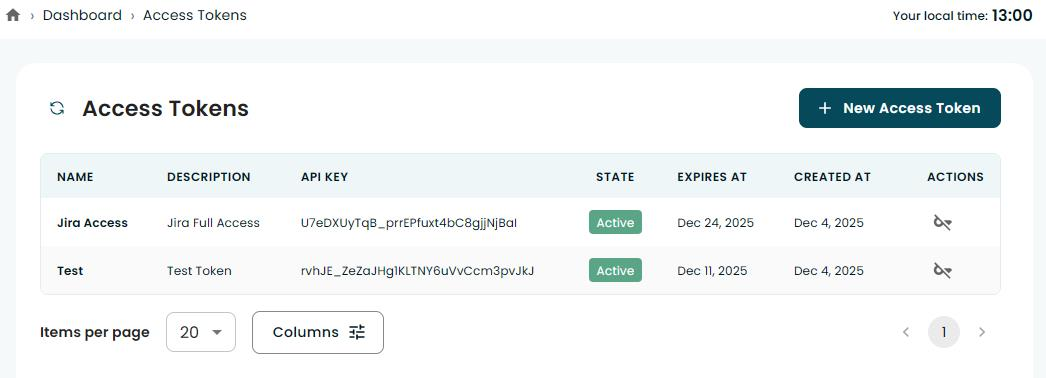
The Access Token can be revoked with the Revoke button in the table (Actions).