
What is a Server Group?
A server Group is a container used to link servers with applications.
A server group defines:
-
which servers are grouped together
-
which applications can run on those servers
Server Groups help:
-
connecting applications to servers
-
organizing infrastructure into logical sets
-
enabling applications to run on multiple servers
They do not replace individual server configuration.
Each server must still be defined separately.
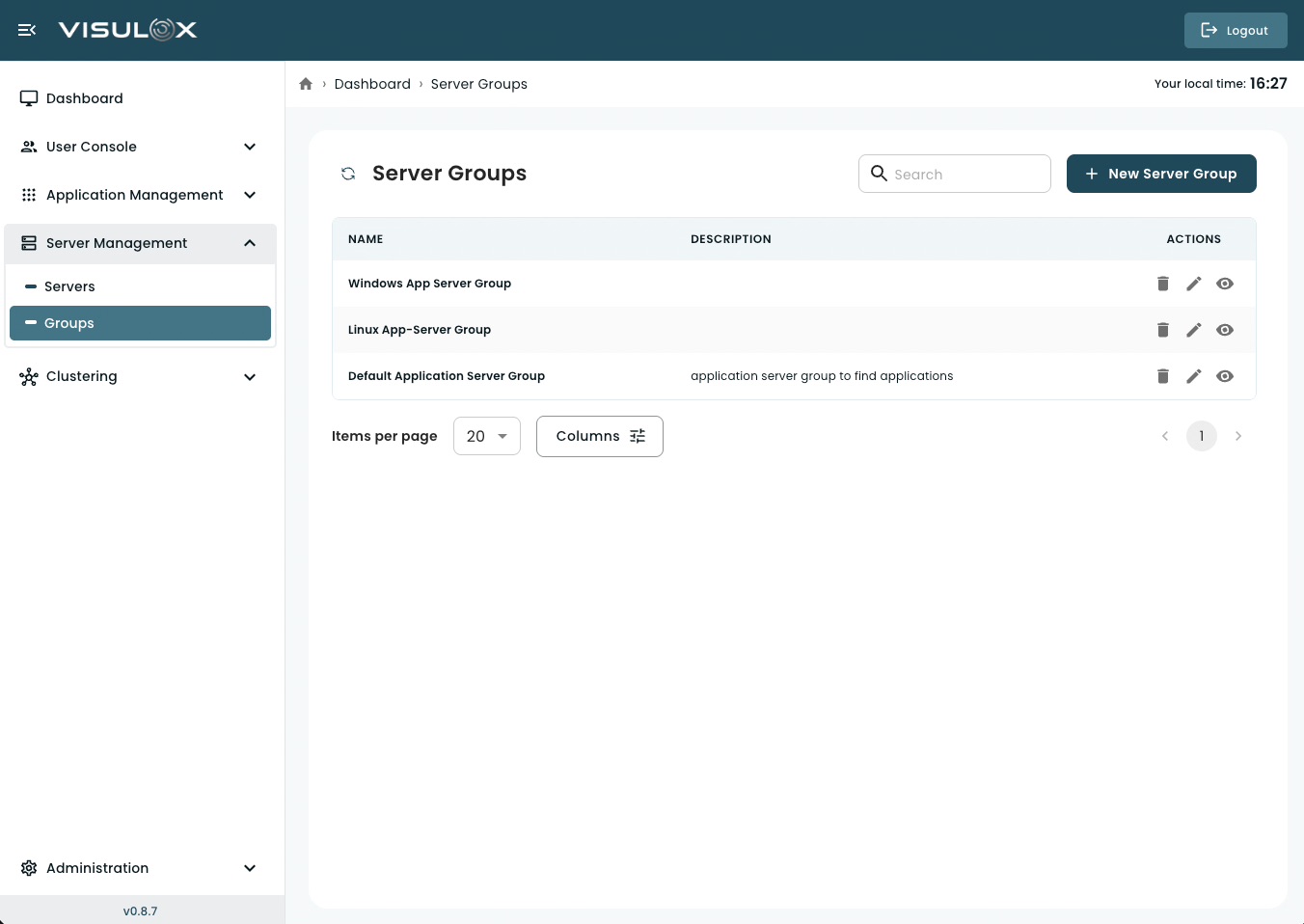
Server Groups Page Overview
The server groups page displays all configured server groups.
For each group, you can see:
-
Group name
-
Description (if defined)
From this page, administrators can:
-
create new server groups
-
view group details
-
modify group information
-
delete server groups
-
search and filter entries
-
navigate using pagination
Managing Server Groups
Creating a New Server Group
Click + New Server Group (top-right corner).
Enter the required information.
Save the group.
After creation, servers and applications can be assigned to this group.
Server Group Configuration (Field-by-Field)
1. Name
The name of the server group
-
should reflect purpose or environment
(e.g., Production Servers, RDP Hosts, Linux Cluster)
2. Description
Optional description of the group
-
can include purpose, scope, or configuration details
3. Add Servers
Select one or more servers.
-
Defines where the applications will run
-
Multiple servers can be included for scalability or redundancy
4. Add Applications
Select one or more applications.
-
These applications will be linked to the selected servers
-
Enables applications to run on any server within the group
How It Works
Application → server group → servers
-
An application is linked to a server group
-
The server group contains one or more servers
-
The application can run on any server in that group
Viewing a Server Group
Click the View icon to review the group details in read-only mode.
Editing a Server Group
Click the Edit icon to update:
-
Name
-
Description
-
Assigned servers
-
Assigned applications
Changes take effect after saving.
Deleting a Server Group
Click the Delete icon to permanently remove the group.
Deleting a server group does not delete the servers or applications inside it.
They remain configured but are no longer linked through that group.
Search and Table Controls
Use the search field (top-right) to filter groups by name.
Use pagination controls at the bottom to navigate between pages.
Adjust the number of items per page if needed.
Use the column selector (if available) to customize visible columns.