
What is an Application?
In VISULOX, an application is a launchable resource that users can access after logging in.
An application defines:
-
what resource is opened
-
how the connection is established
-
how sessions are handled
-
whether Single Sign-On (SSO) is used
-
how many users can run it simultaneously
An application by itself does not grant access.
Access is controlled through profiles, which determine which applications are visible to users.
This structure ensures centralized and scalable access management.
See also: Application Fields.
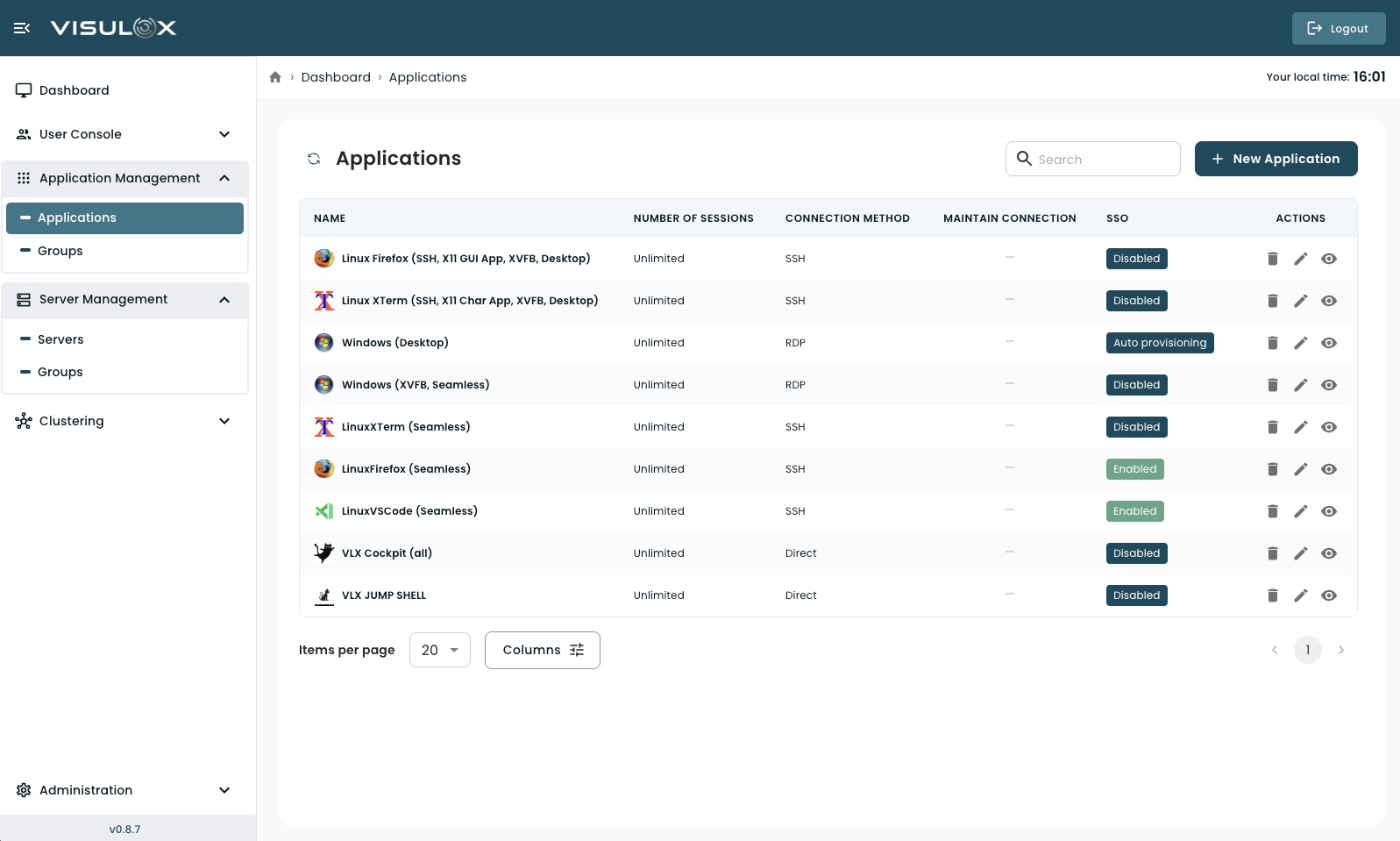
Applications Page Overview
The applications page provides a centralized overview of all configured applications in the system.
From this page, administrators can:
-
create new applications
-
review application settings
-
modify existing configurations
-
remove applications
-
search and filter entries
-
navigate through the list using pagination
Each application is displayed with key configuration indicators such as session limits, connection method, and SSO status.
Managing Applications
Creating a New Application
-
Click + New Application (top-right corner).
-
Enter the required configuration details.
-
Save the application.
After creation, the application must be added to a Profile before users can access it.
Viewing an Application
Click the View icon in the Actions column to open the application details in read-only mode.
Editing an Application
Click the Edit icon to modify the application settings.
Changes take effect after saving.
Deleting an Application
Click the Delete icon to permanently remove the application.
Deleting an application removes it from all associated profiles.
Search and Table Controls
-
Use the search field (top-right) to filter applications by name.
-
Use pagination controls at the bottom of the page to navigate.
-
Adjust the number of items per page if needed.
-
Use the column selector (if available) to customize visible columns.