
File Transit with approval
The basic setup for File Transit with approval is done by setting the approval mode in a Transit Policy:
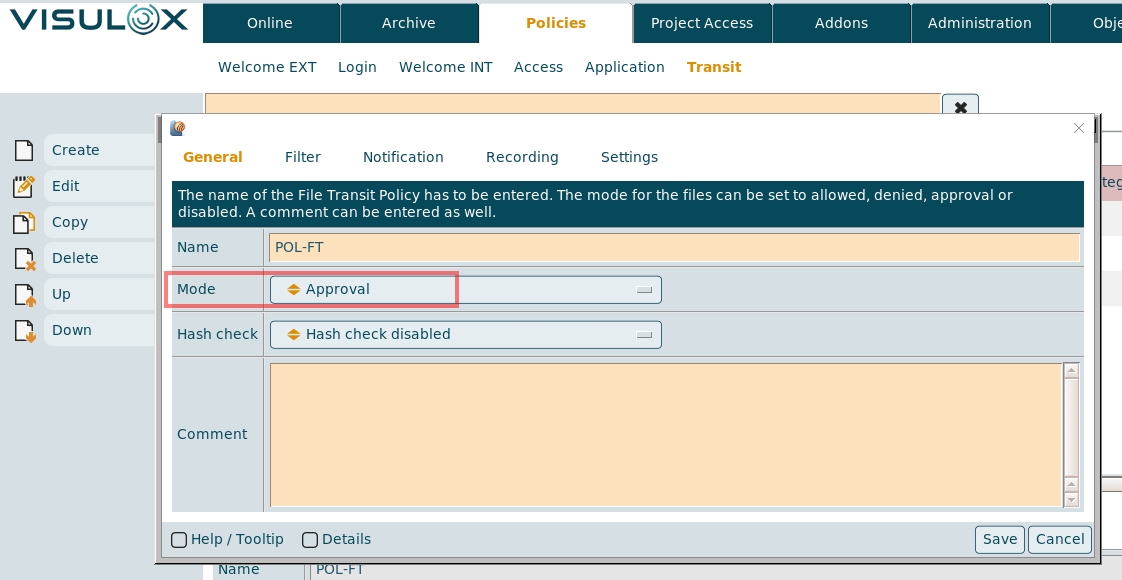
The filter settings have to be entered and a notification can be sent to an approver via action script, once a file is uploaded.
In the settings tab, the file based filter criteria can be set as usual.
The user is able to see the uploaded files in his Workspace with the status: "pending":

Keep an eye on the lifetime for files in the Transit Zone.
The approver is able to see the current files and their status in VISULOX Cockpit / Online / Transit Zone:
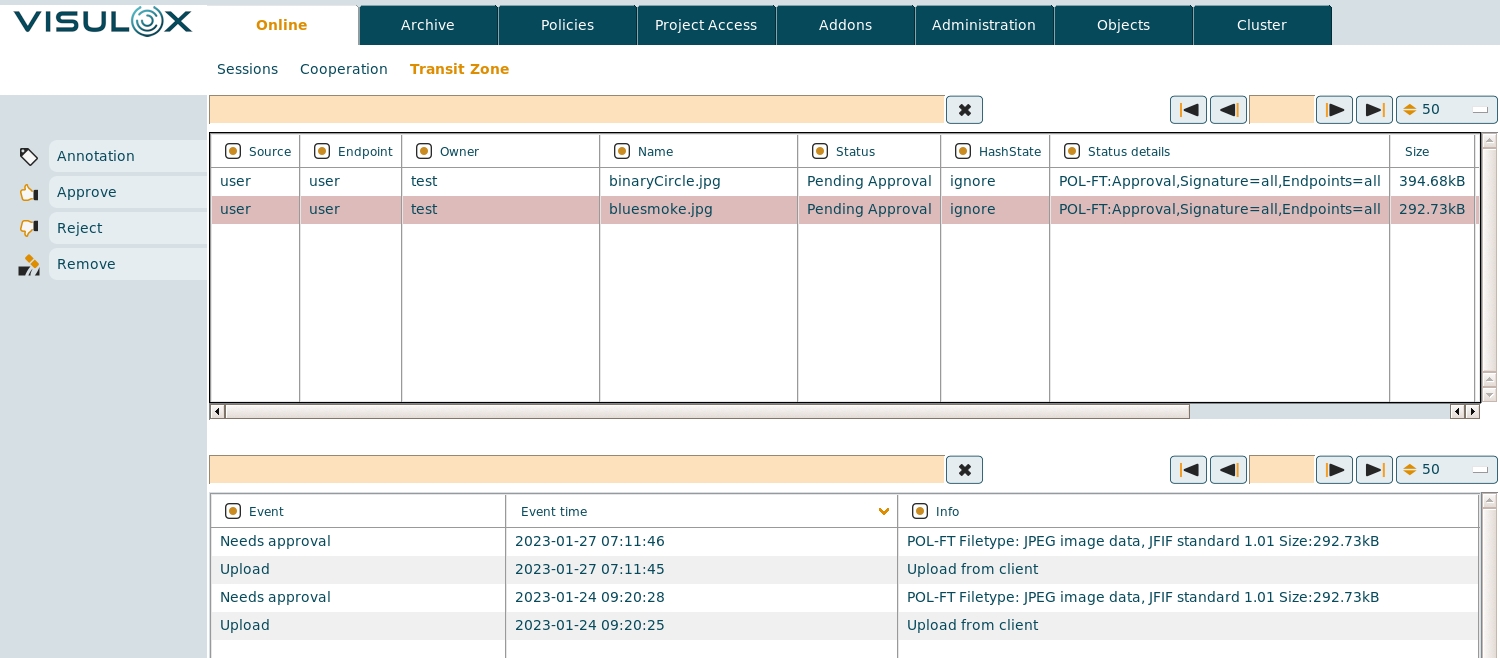
Here the selected files can be approved, rejected, removed and an annotation can be entered.
Once a file is approved, the user is allowed to use the file in Transit Zone. Status is set to "Allowed".
There are a lot more configuration options for File Transfer with approval depending on the used File Transfer method.
Also have a look at the following articles:
- Transit Policy
- File Transfer features
- Access and transit request via actionlink
- Automated transfer of files into Transit Zone (Passon)
- Extended Transit Policy with hash check by provided hash file