
How to use VISULOX with multiple network cards
Each VISULOX Node has a logical name. The logical name is derived from the servers hostname.
The hostname of the server is mostly assigned to one network card.
The communication within an VISULOX Cluster is also based on the FQDN of each node.
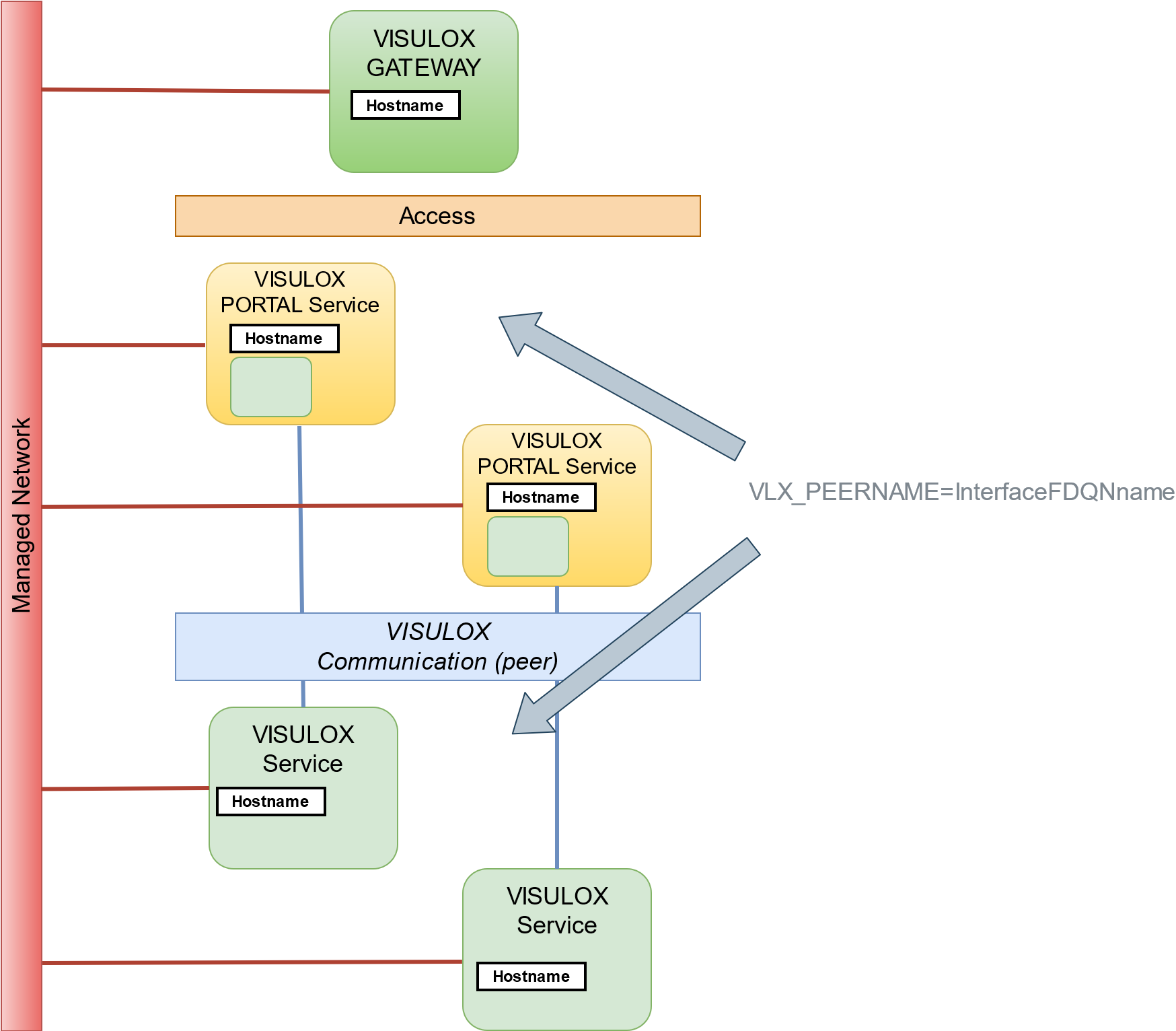
From these two aspects, two issues can arise:
- The logical name is not the same, that has to be used in the architecture.
- The communication should be routed through other interfaces.
To change the logical name, the directive VLX_LOGNAME in /opt/visulox/etc/vlx.profile can be set to an alternate name.
export VLX_LOGNAME=otherInternally "other" is mapped to "vOTHER". Check with: .visulox config mynodename
To change the cluster routing, the directive VLX_PEERNAME in /optvisulox/etc/vlx.profile can be set to the related name of the interface.
export VLX_PEERNAME=other.domain.deTo attach another node via that alternate route, the attach command is:
visulox attach <FQDN of destination peer name>Keep in mind, that this handles the communication between VISULOX Nodes. It is also recommended to think about the VISULOX PORTAL Array and VISULOX PORTAL application server communication.
Therefore the following command has to be taken into account:
visulox-portal serverrename --peername <FQDN>VISULOX recorders and VISULOX application servers are addressing the portal X11 server (ttaxpe) based on the VISULOX PORTAL peer name.
See also: