
VISULOX SSH X11 Forwarding to VISULOX Application Nodes
The X11 server is not always addressed directly by VISULOX.
This means the application server needs an X11 connection (port 6000+) to the VISULOX Access Nodes.
If it is not wanted to open these ports in the firewall, VISULOX X11 Forwarding can be used instead.
| Connection with port 6000+ | Connection with VLX x11 forwarding |
|---|---|
|
|
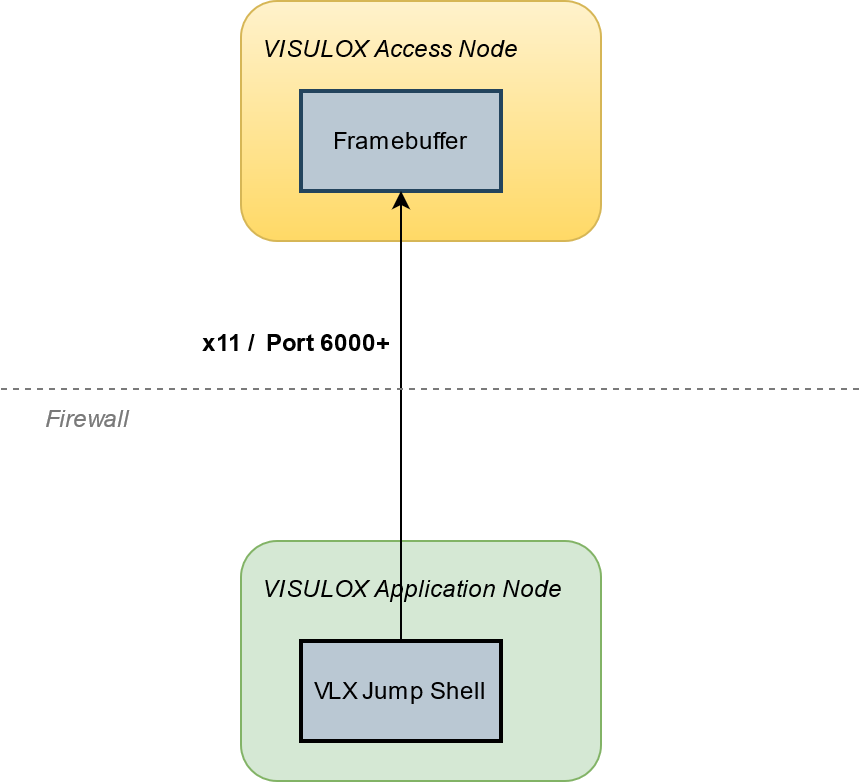
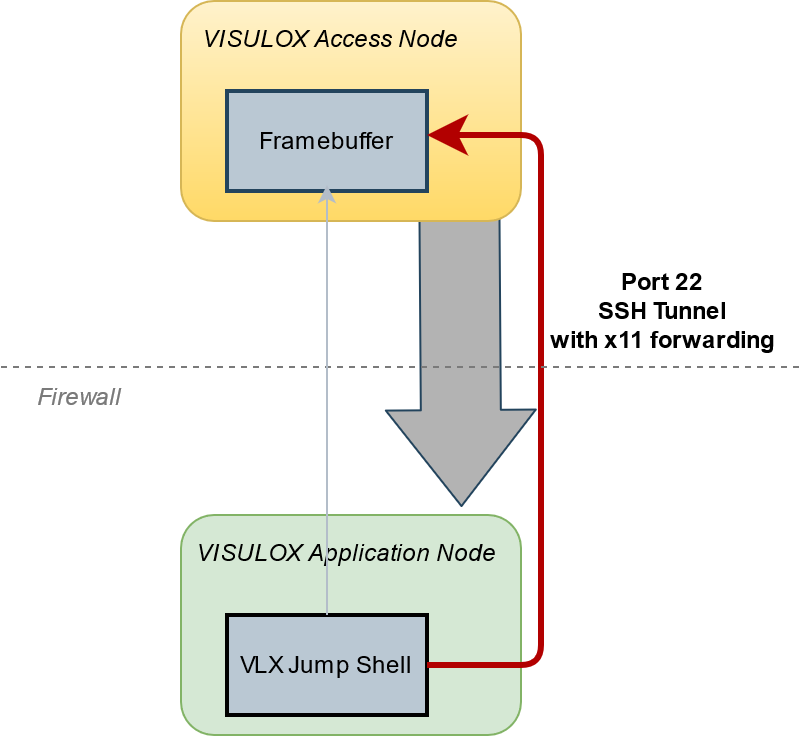

A firewall between nodes in the cluster (VISULOX and VISULOX PORTAL) must be configured with the following setting "session time out=never".
Whenever the X11 Forwarding is enabled, a new key is generated and populated:
visulox config x11forward -enable
Disabling X11 Forwarding also includes removing the common key:
visulox config x11forward -disable
Whenever the cluster key changes, the X11 Forwarding has to be re-enabled:
visulox config x11forward -enable
Excluding servers from VISULOX X11 Forwarding:
It is possible to exclude a list of servers from X11 Forwarding. The list delimiter is ":". Each element can be either the nodename, FQDN or regexp.
visulox config x11forward -exclude server1:server2:"^abc:192"
visulox integrity and visulox config x11forward -check only check the access to the servers in the cluster. They do not check X11 forwarding enabled:
   visulox integrity -x11forward
   visulox config x11forward -check