
Command Connect / Guard module
Command Connect and Command Guard provide a flexible way to access endpoints using a shell interface. Command Connect and Command Guard handle flexible groups and allow the user to send commands to multiple endpoints simultaneously.
Additionally, Command Guard has command level controls for the application. It allows and denies the usage of certain commands entered by the user. Also client and server side scripts can be issued either to multiple endpoints or to a single one.
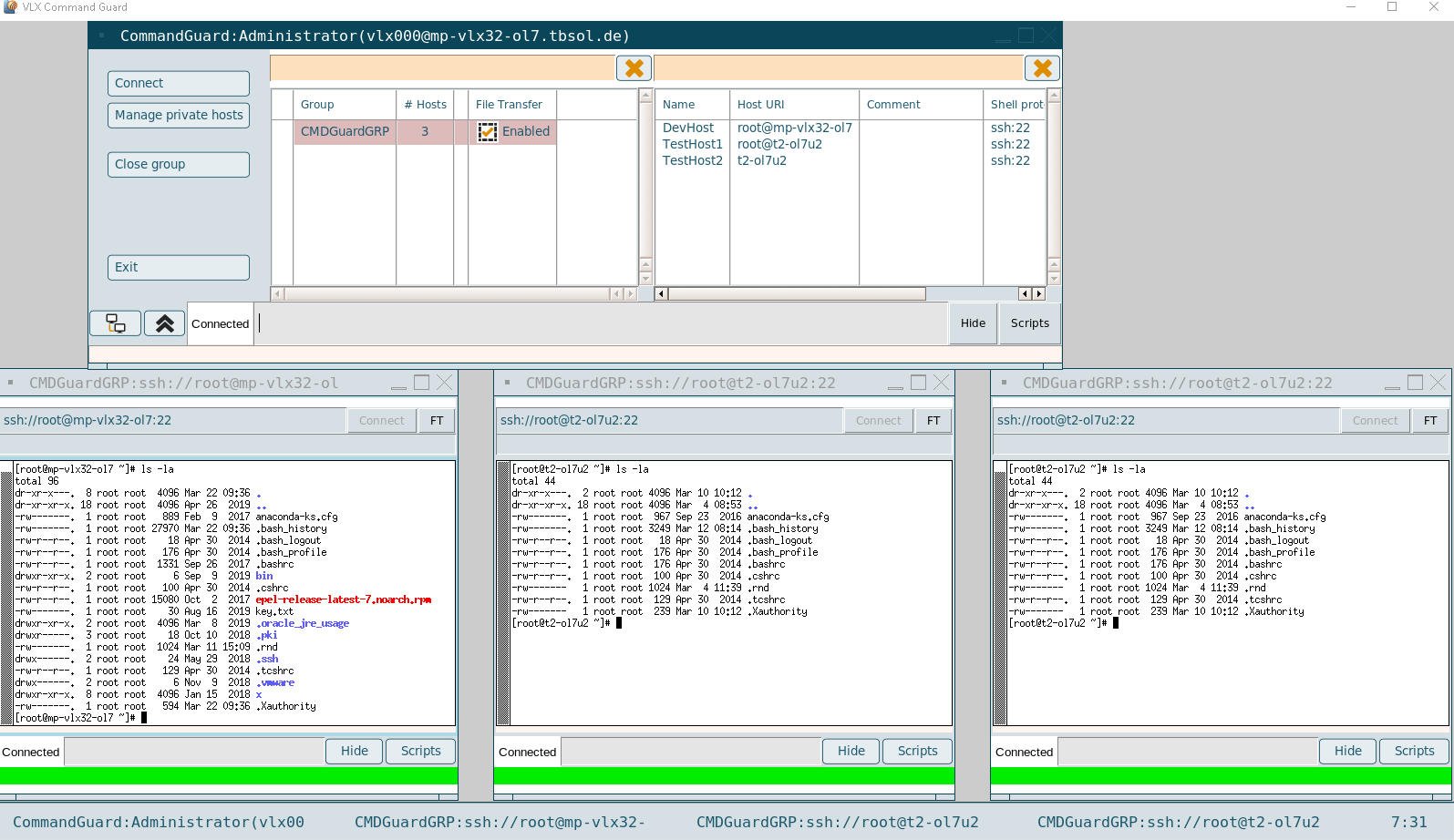
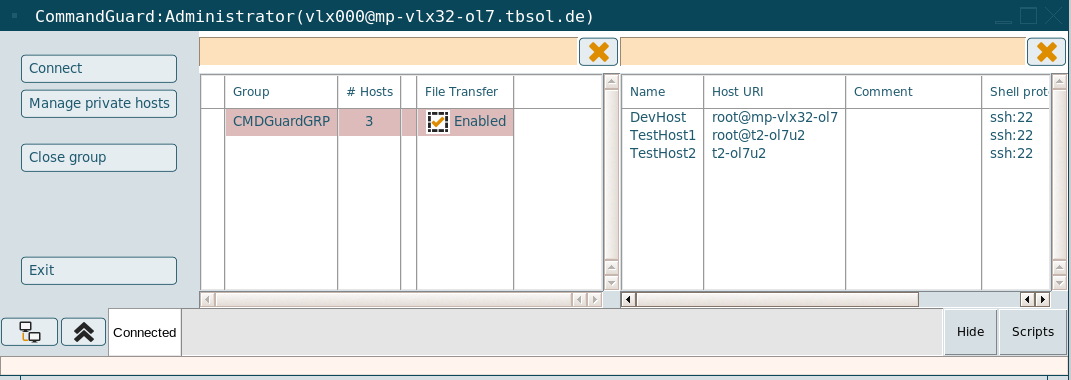
Available buttons:
- Connect: Opens a shell to all hosts in the selected group
- Manage private hosts: Own hosts can be managed for a selected group
- Close group: All sessions of the selected group will be closed
- Exit: Command Connect / Guard application and all open sessions are closed
- Arrange: Connected session windows will be rearranged
- Collapse: Collapse the console
- Hide: Hide the input in the entryline
- Scripts: Shows all available scripts for this group, a selected script can be applied on all open shells
To send a command to all connected shells, the input field of the Command Connect / Guard application can be used.

The status of the terminals is also shown. (enter username, password, connected, etc).



Each connection window also has its own input field and scripts button (CMD Guard), so that commands and scripts can be started only in this shell.
Unmanaged sessions (CMD Connect only)
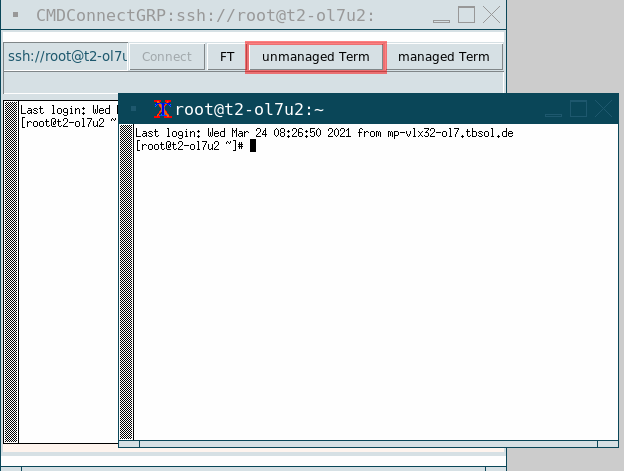
In Command Connect one managed session per host is assigned to a Command Connect group. Additionally one more unmanaged session can be opened to a host via the "Term" button..
Such unmanaged sessions are closed together with the managed sessions. They are not taken into account with arrange, they are independent and unmanaged.
Temporary hosts group
With a right click on an assigned host, the host can be added to a temporary group (@TMP).
Hosts can be added from any available groups to combine them in the new @TMP group.
Own hosts
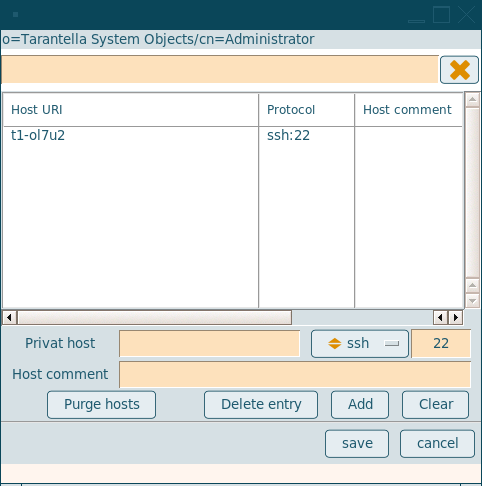
Command Connect / Guard has the ability to manage own hosts.
To keep this under control, the admin defines a ruleset, what kind of hosts can be added. The ruleset is part of the Command Connect / Guard group.
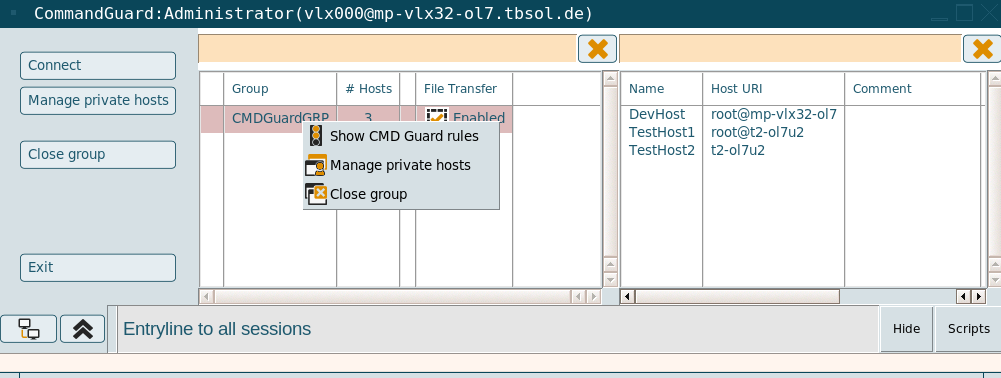
With a right click on a group in Command Connect / Guard, the Guard rules (Guard only) can be displayed, own private hosts can be added (depending on the rules) or the group can be closed.
The private hosts are based on rules, the user is a string and the host is a string or an IP address.
Command Connect / Guard tries to resolve the name, then the rule is checked. If there are private hosts that are no longer valid, because the rule has changed, the invalid hosts can be purged with the "Purge hosts" button.
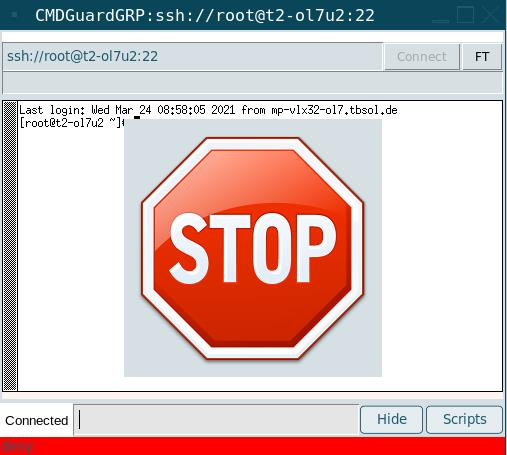
Command blocked (CMD Guard only)
In Command Guard a ruleset defines the allowed commands. If a command is not allowed, a Stop sign is displayed and the command will not be executed.
File Transfer
If File Transfer is enabled to the host of the connection, an FT button is available to start the FT Client to the host.
Depending on the configuration it can be necessary to enter a username, a base directory and a password for the File Transfer connection.
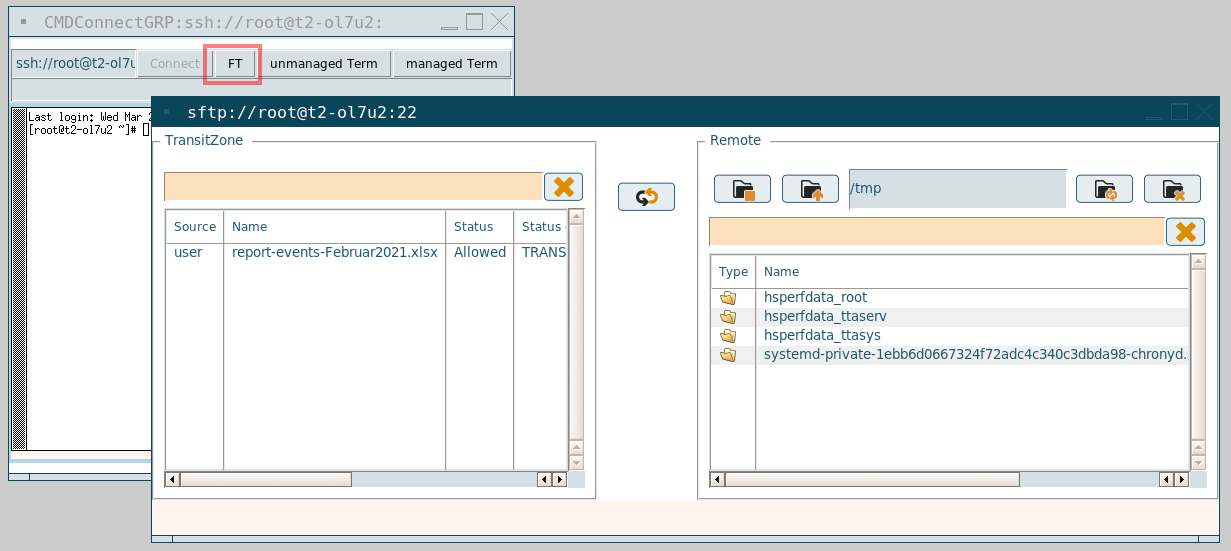
With the FT Client component, the user is able to transfer files between the Transit Zone and the application server according to the underlying File Transit rules. (See also: File Transfer modules)