
How to export information interactive from VISULOX
There are serveral ways to export data from the VISULOX database:
|
Session export
The export of session information includes also the events during and after the session has been terminated.
The event stream can have also keystroke information. This information is not exported by default. Export of the keystroke information can only be done if the VISULOX Cockpit is launched with the "ksr" tag. This tag can be set on the command line or in a Cockpit role.
The recorded sessions are exported to the Transit Zone of the user (via Checkout button in the Cockpit or CLI), where they can be downloaded to the client.
Multiple checkout of 5 recorded sessions at once is supported.
See also: How to export information from VISULOX on the command line
Data export (Report)
The user is able to select the export format and wether the report is sent via eMail or provided in Transit Zone.
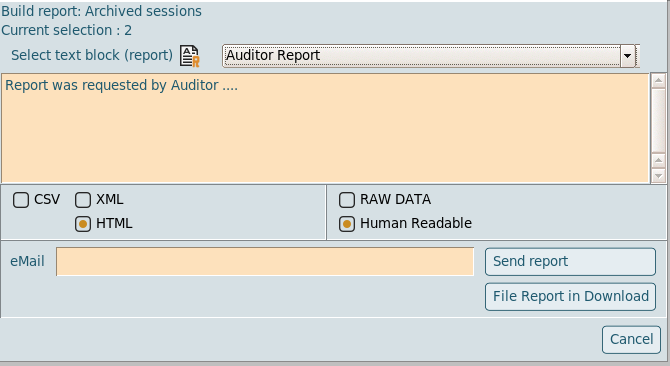
Currently CSV, XML and HTML output is available and RAW Data or Human Readable can be selected as well.
Report examples
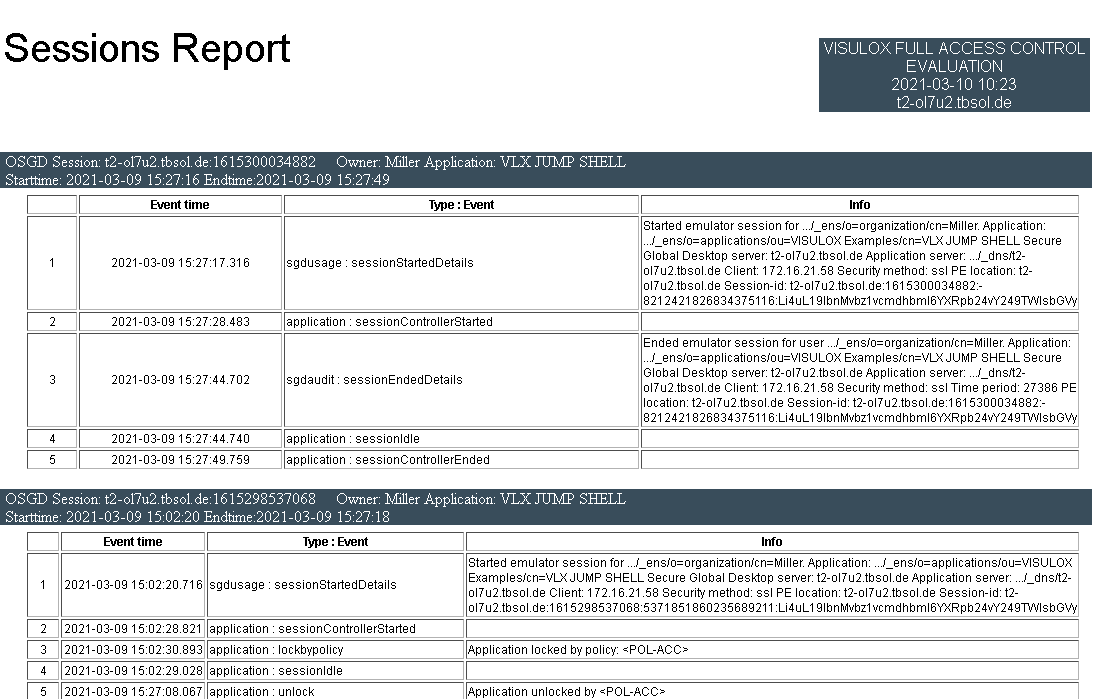
- Session report (HTML)
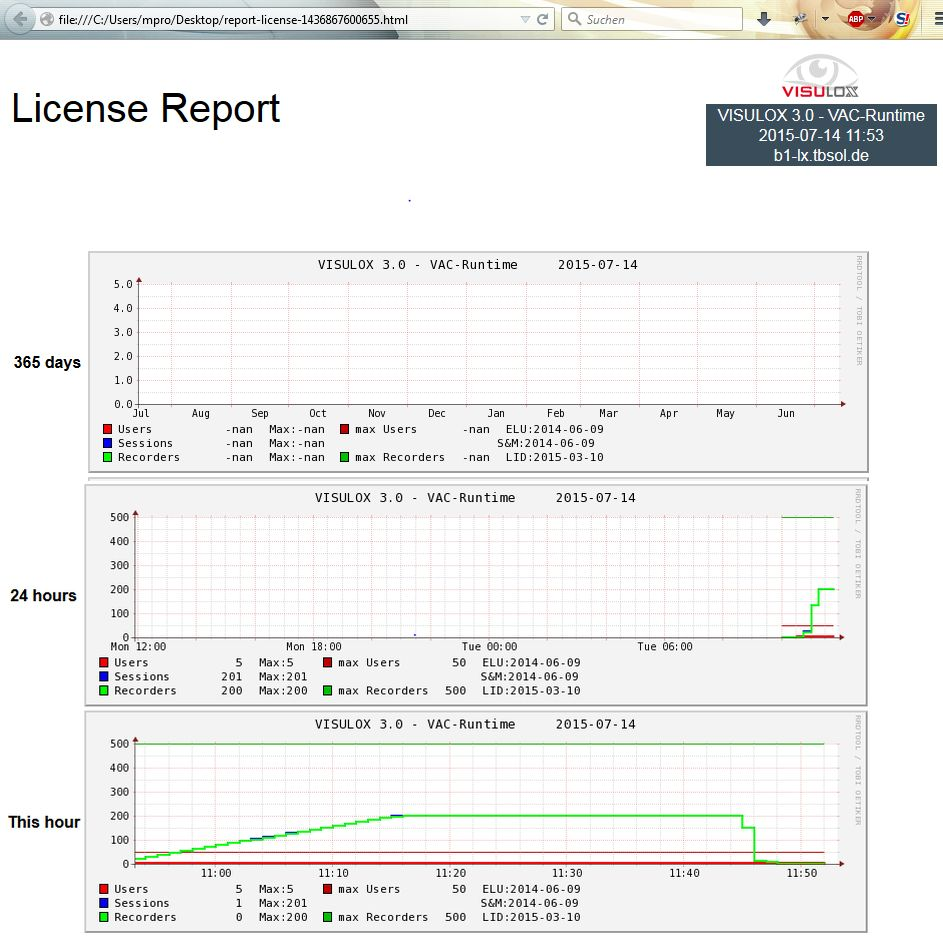
- License report (HTML)
Related information
- Modify VISULOX PORTAL Datastore via CLI
- How to export information interactive from VISULOX
- Reports
- How to export information from VISULOX on the command line
- Command "visulox support" - Creating a VISULOX Support Report
- Migrating from OSGD 5.x / VLX 3.x to VISULOX 4.x
- Exporting / Importing Data
- How to control reports from the command line
- Migrating from VISULOX 3.x to 4.x
- Migrating from OSGD 5.x / VLX 3.x to VISULOX 4.x
- Command "visulox support" - Creating a VISULOX Support Report
- How to control reports from the command line
- Modify VISULOX PORTAL Datastore via CLI
- How to export information interactive from VISULOX
- Migrating from VISULOX 3.x to 4.x