
Script objects
System side scripts can be assigned to Command Guard and can be issued RDP configuration files can be assigned as well to freerdp sessions. |
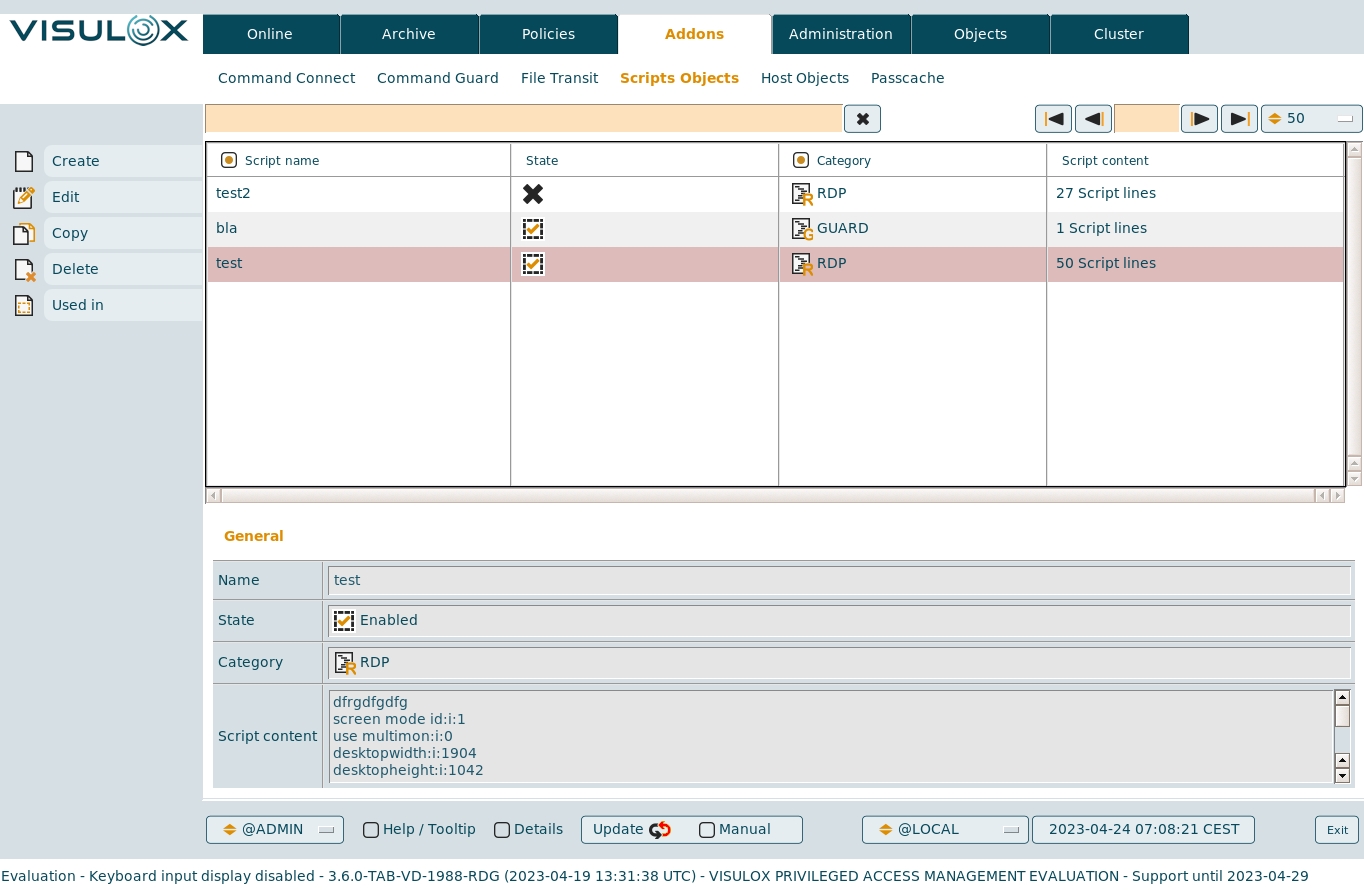
Command Guard system side shell scripts
In Command Guard, it is possible to start such scripts in a single shell or in all connected shells at once.
Script category must be set to GUARD.
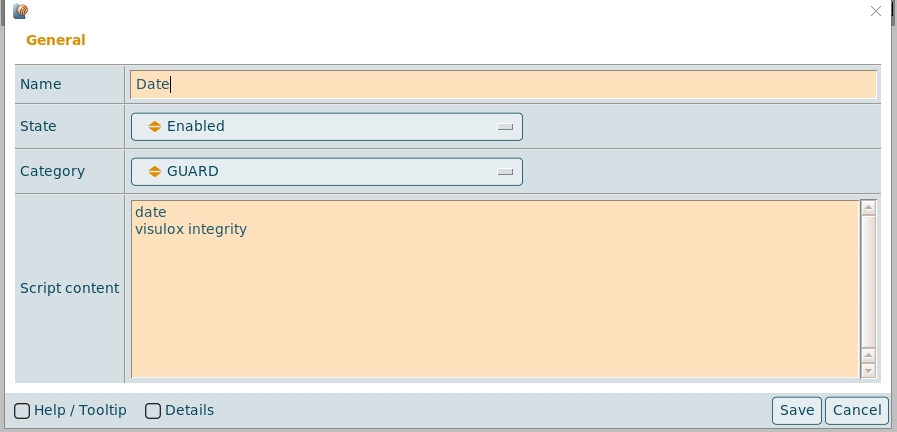
The script size is limited to 40 KB.
The size and the type of the script is configured here:
visulox config -name scriptobject.guard
    ----------------------------------------------
    | changed | key                     | value  |
    ----------------------------------------------
    |         | scriptobject.guard.size | 40.0kB |
    |         | scriptobject.guard.type | text   |
    ----------------------------------------------
Assigning scripts to a Command Guard group
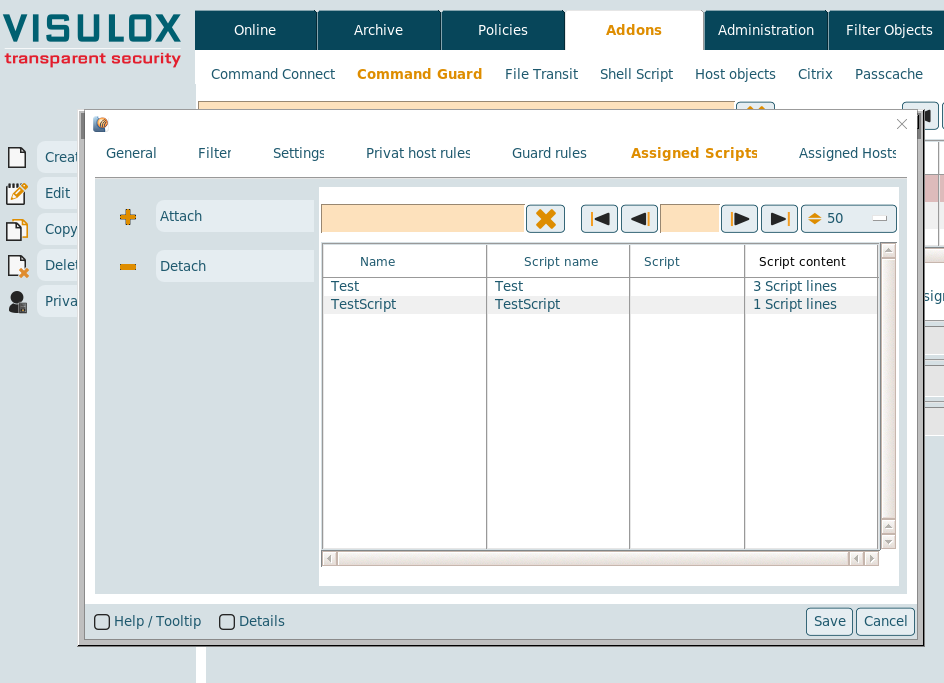
Available scripts can be attached / detached from the Command Guard group.
Script writing rules
A script is a list of lines. Mostly they are representing shell scripts.
For example:
Script
| Output
|
It would be better to put the commands into brackets:
Script
| Output
|
RDP configuration files
In a vlxshell application, it is possible to use such a script for the freerdp connection.
Script category must be set to RDP.
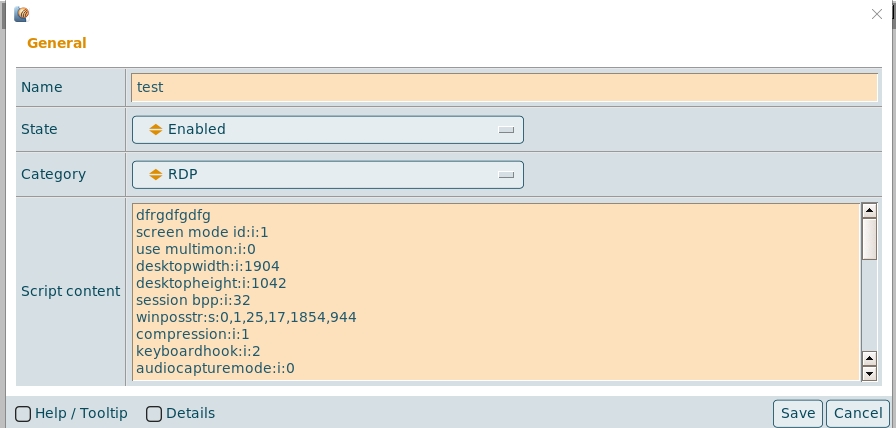
The script size is limited to 4 KB.
The size and the type of the script is configured here:
visulox config -name scriptobject.rdp
    -------------------------------------------
    | changed | key                   | value |
    -------------------------------------------
    |         | scriptobject.rdp.size | 4.0kB |
    |         | scriptobject.rdp.type | ASCII |
    -------------------------------------------
vlxshell application with freerdp configuration file
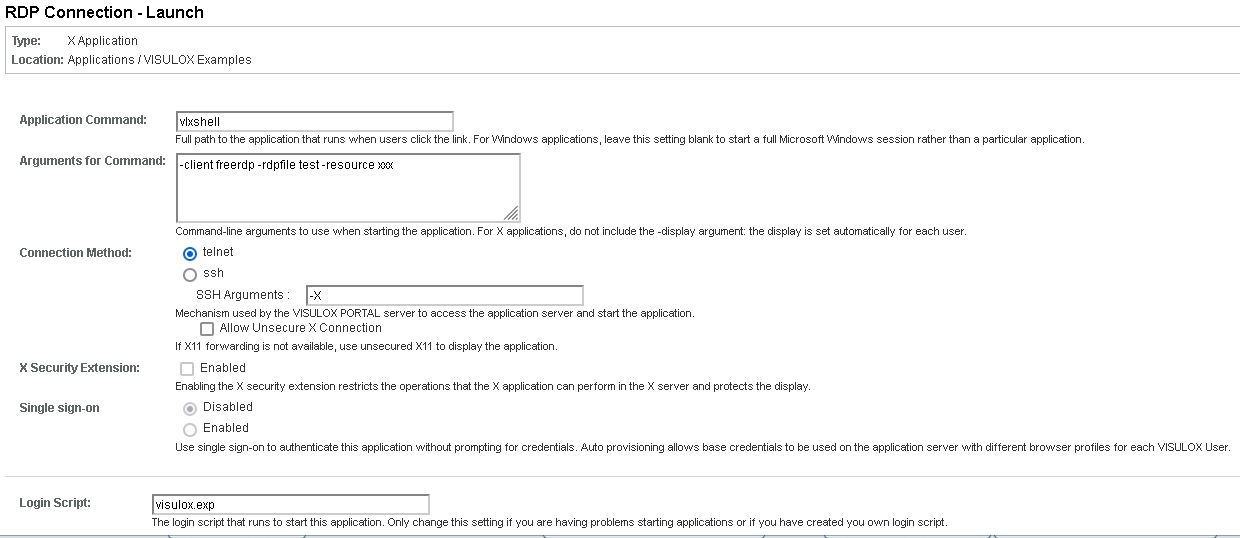
In this example a preconfigured VISULOX resource is used for the credentials of the RDP connection.
vlxshell parameters in "Arguments for Command":
-client freerdp -rdpfile <scriptname|filename> -- <freerdp-parameter>vlxshell parameters with RD Gateway configuration:
-client freerdp -rdpfile RDP -resource <resource-name> -gateway-resource <resource-name> /g:<server.domain> /gateway-usage-method:direct
To add an existing RDP file to the VISULOX Cluster, use:
visulox addon script add -name RDP -category rdp -script /tmp/testfile.rdp For more RDP connection events, set:
visulox config -name vlxshell.event.rdpconnect=true