
Migrating to One Time Password Authentication
Migration to OTP for all users via configuration
Scenario:
The user gets the second factor for login via message or eMail. It is wanted, that all users get their second factor via One Time Password App.
At first the user should get aware of the plan and be provided with the information, what One Time Password means and how it works.
After the users are informed, the OTP setup can be enabled:
visulox config -name otp.setupmode=enabledNow the users can setup OTP in the One Time Password Dialog section in their Workspace.
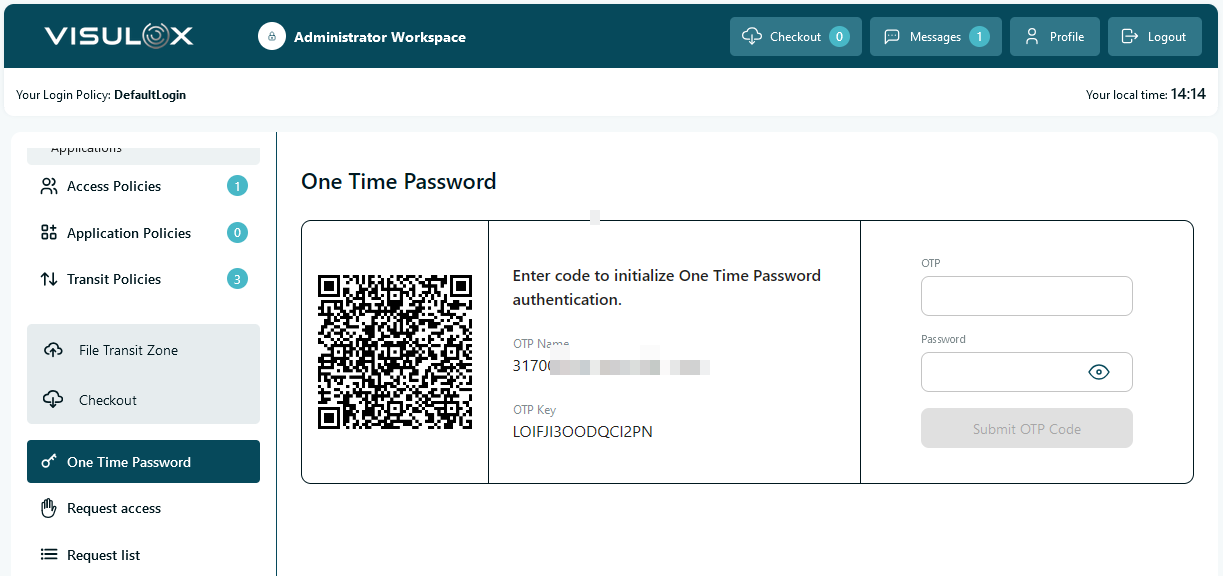
The user has to enter his password as well to initialize OTP.
The policy mode now can be switched to "MFA Login with OTP" or "PIN from eMail and/or SMS".
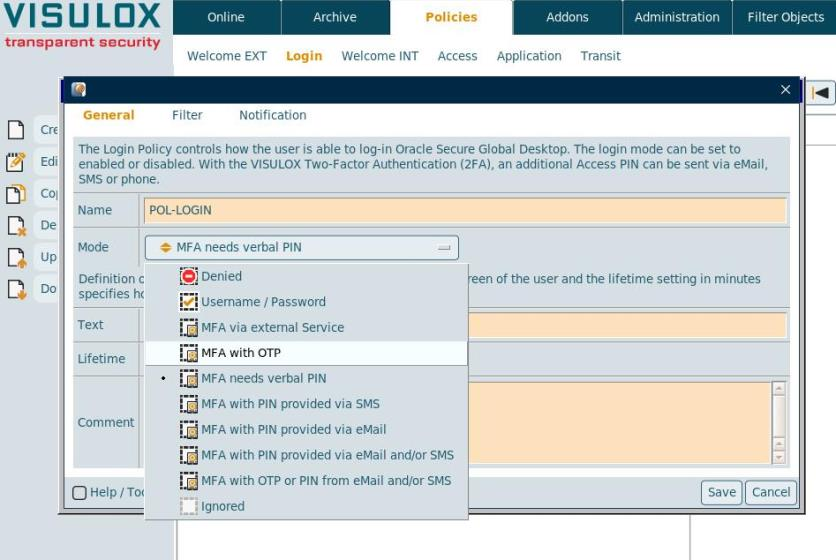
Now the user is able to login with the new OTP PIN or with the old method.
The following steps are necessary, if login should be allowed only via OTP:
With otp.always=true a user can always enter a valid OTP and gets access. Otherwise he is able to request a PIN using eMail or SMS.
If OTP Login should be enforced, the policy mode can be switched to "MFA Login with OTP" after a period of time.
A short period before the OTP login is enforced, the setup of OTP should be enforced (e.g. if the users login in every day ~ 3 days before switching).
visulox config -name otp.setupmode=enforcedAfter this setting, every user who has not setup OTP yet will be forwarded to a setup page instead of his Workspace.
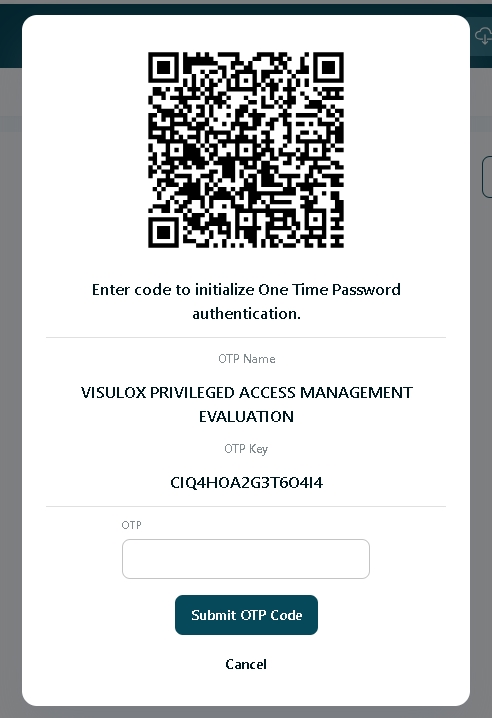
After the setup and initialization, the user will be redirected to his normal Workspace.
The only other option is the Cancel button, which will exit the VISULOX PORTAL.
Migration to OTP for selected groups / users via the Login Policy
In case of an OTP Login Policy, the setup type can be chosen: Configuration, enabled or enforced:
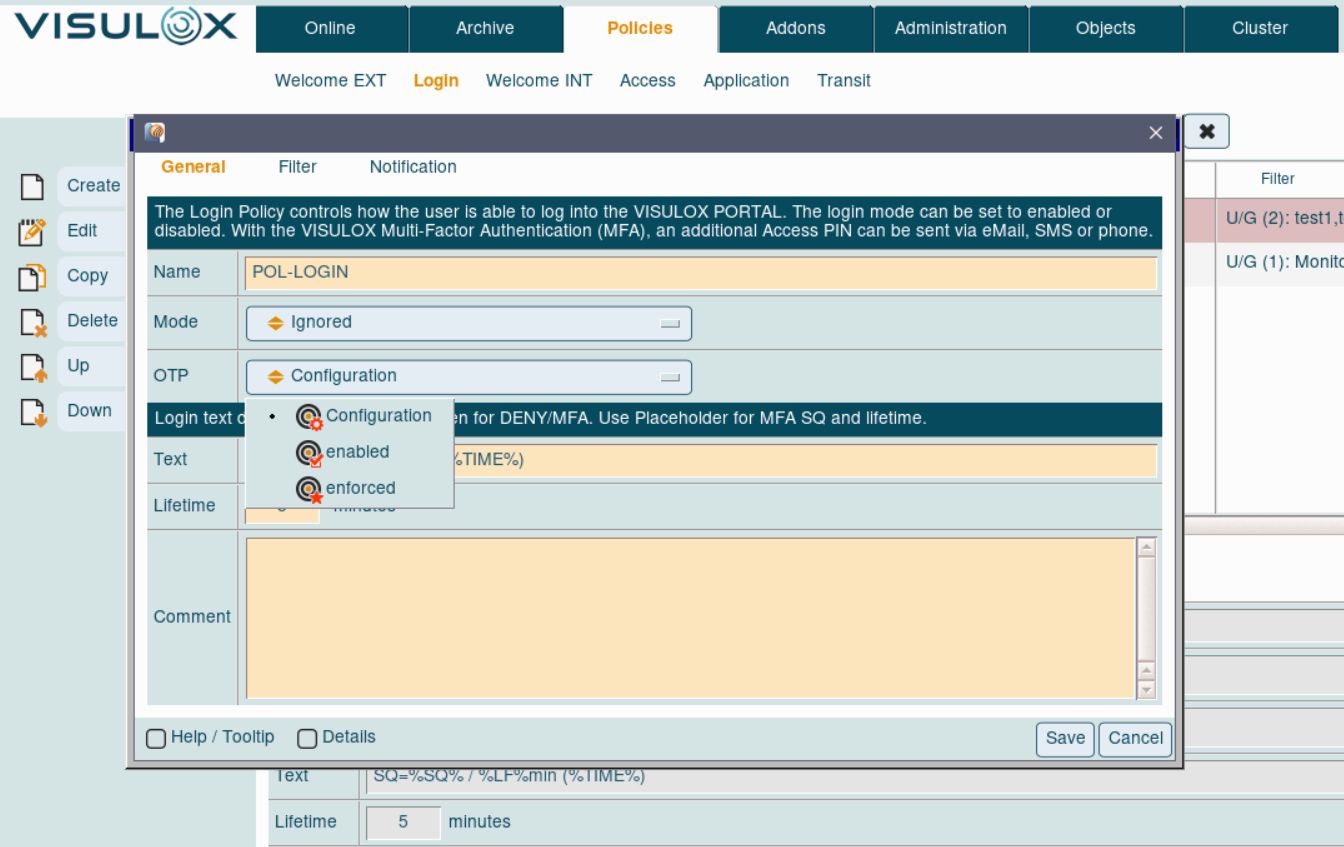
With OTP setup type configured via Login Policy it is possible to use OTP login for selected groups / users.
Setting the OTP type via configuration parameters will be applied to all users.