Access request and access to applications
In VISULOX a logged in user has a list of assigned applications in his Workspace. This application assignment is based on AD/LDAP groups or VISULOX PORTAL profiles.
An assigned application does not comprise, that the user can use the application. This is controlled with the VISULOX Access Policy.
A VISULOX Access Policy defines a time frame and time profiles for a user, usergroup, application or applicationgroup and the access path. If all parameters fit, the application is unlocked for user interactions.
See also: Access Policy
Access Policy and timeframe
Additional to timeframe and time period. the Access Poliy has a comment field, a ticket ID field and a notification script. The Access Policy state can be
Access allowed
Access denied
Group access
Access accepted
Access rejected
Access request
Policy disabled
The timeframe internally is UTC times, but for better human understanding the region with its timezone is added. This means users and supervisors see the time related to their timezone.
There are different ways to define Access Policies and so to grant interaction to an application.
VISULOX Access Policy via VISULOX CLI
The CLI can be triggered from an external program. It needs the user, group or the application name, time period and time profile
See: How to control access from the command line
Using the VISULOX Cockpit
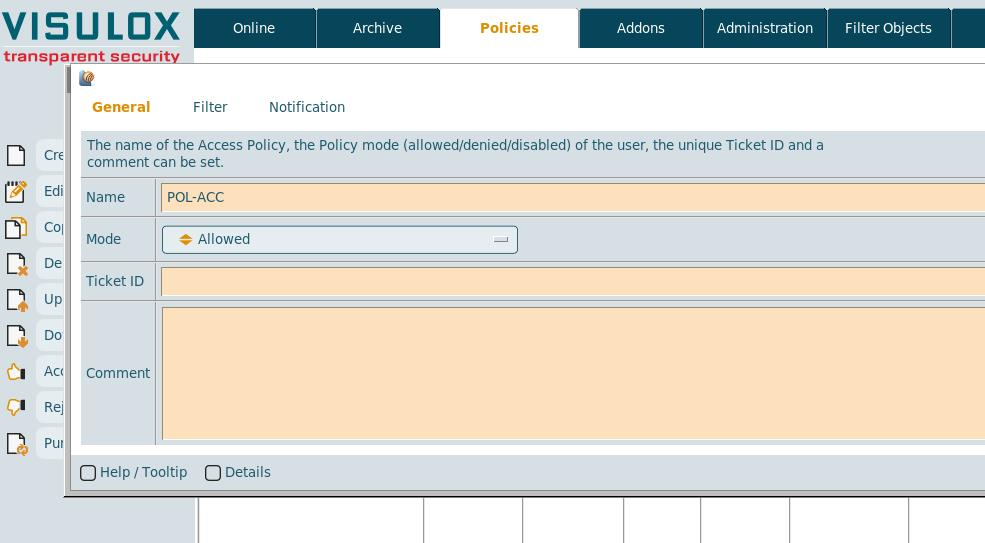
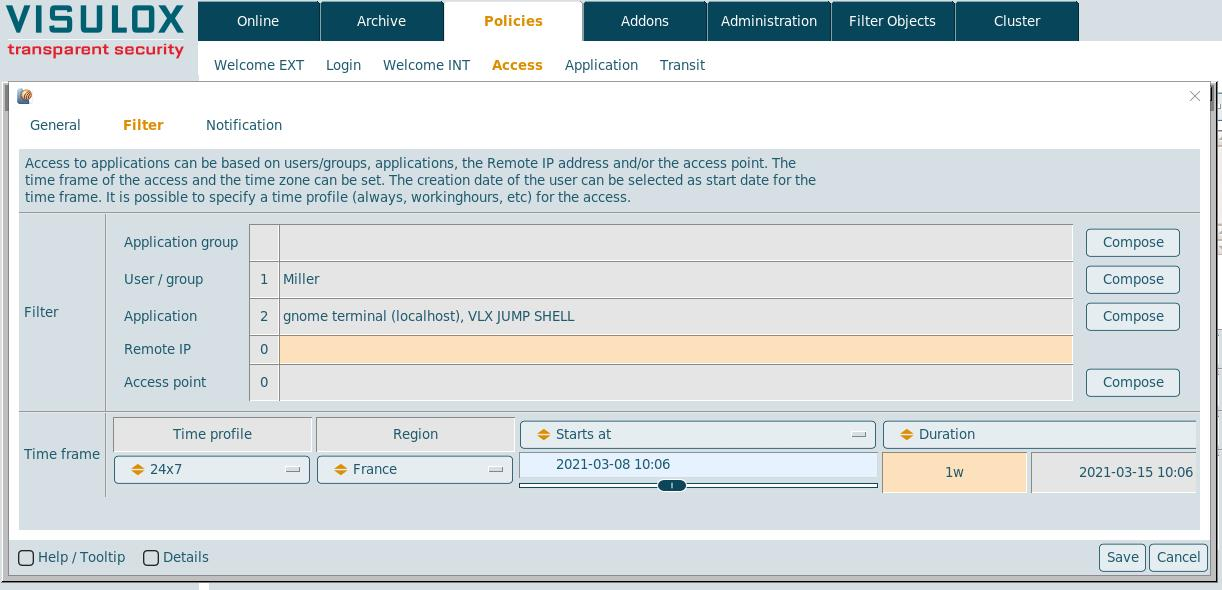
User can request an access in a launched and locked application (in-time access)
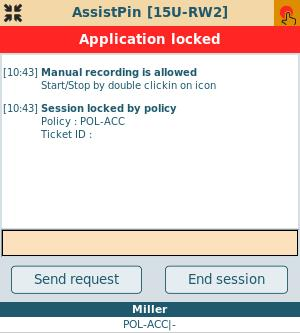
The "Send request" button is available, once a notification / request script is configured and set in a matching denied policy.
With a request script it is possible to send a mail to the approver, who is able to grant access via an action link in the mail.
The requester also receives mails, when request is sent, approved, rejected or expired.
User can request access for a future usage of an application
Within his Workspace, the user has a form, where he can request an access for all applications or a single one.
Submitting this request, creates an access request (an unconfirmed Access Policy) and an action script (Cockpit / Administration / Actions) can be triggered.
The action script includes all known data to the pending access request and the user. The script can be used to deliver this event to other services or to send an email to a supervisor.
The script is set with:
visulox config -name request.workspace.request="examplescript:-info Request -approver approver@visulox.com"

visulox config -name request.script
    ----------------------------------------------------------------------------------------------------
    | changed | key            | value                                                                 |
    ----------------------------------------------------------------------------------------------------
    | changed | request.workspace.request | examplescript:-info Request -approver approver@visulox.com |
    ----------------------------------------------------------------------------------------------------
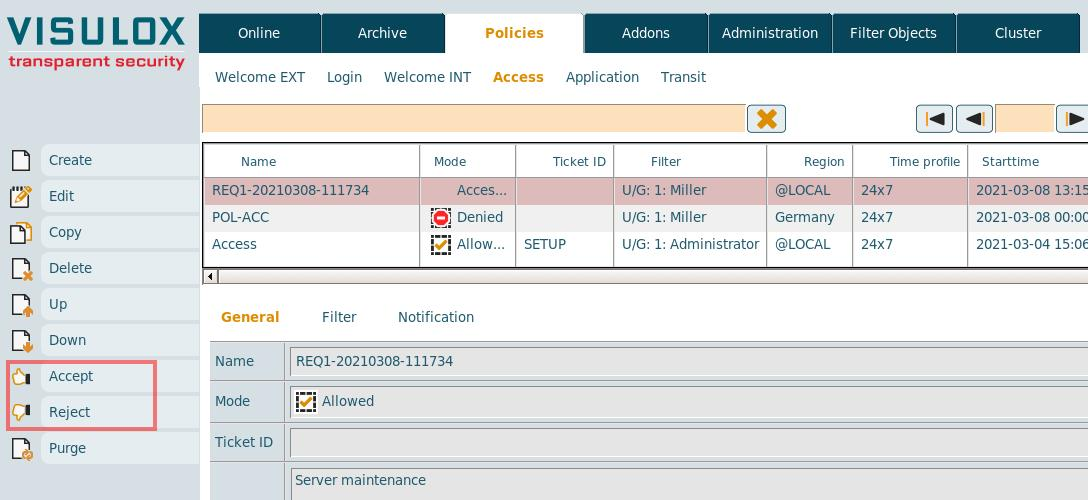
The pending access request can be accepted or denied via the Cockpit, the VISULOX CLI or if a request script is configured via mail.
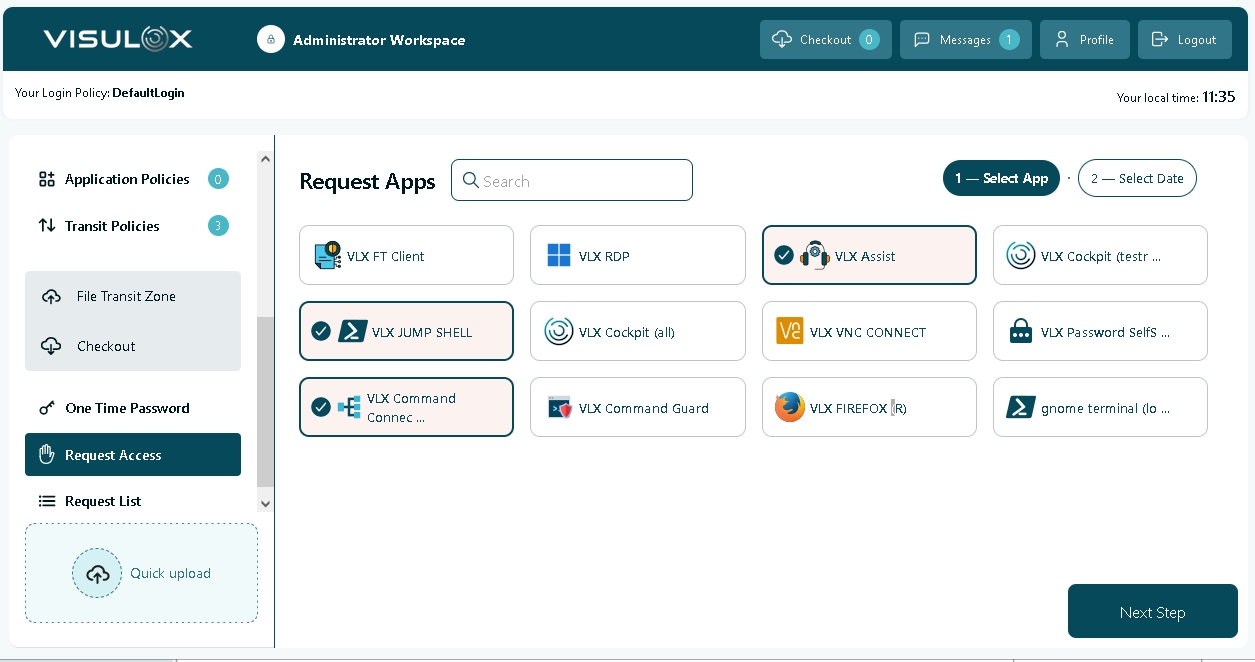 | 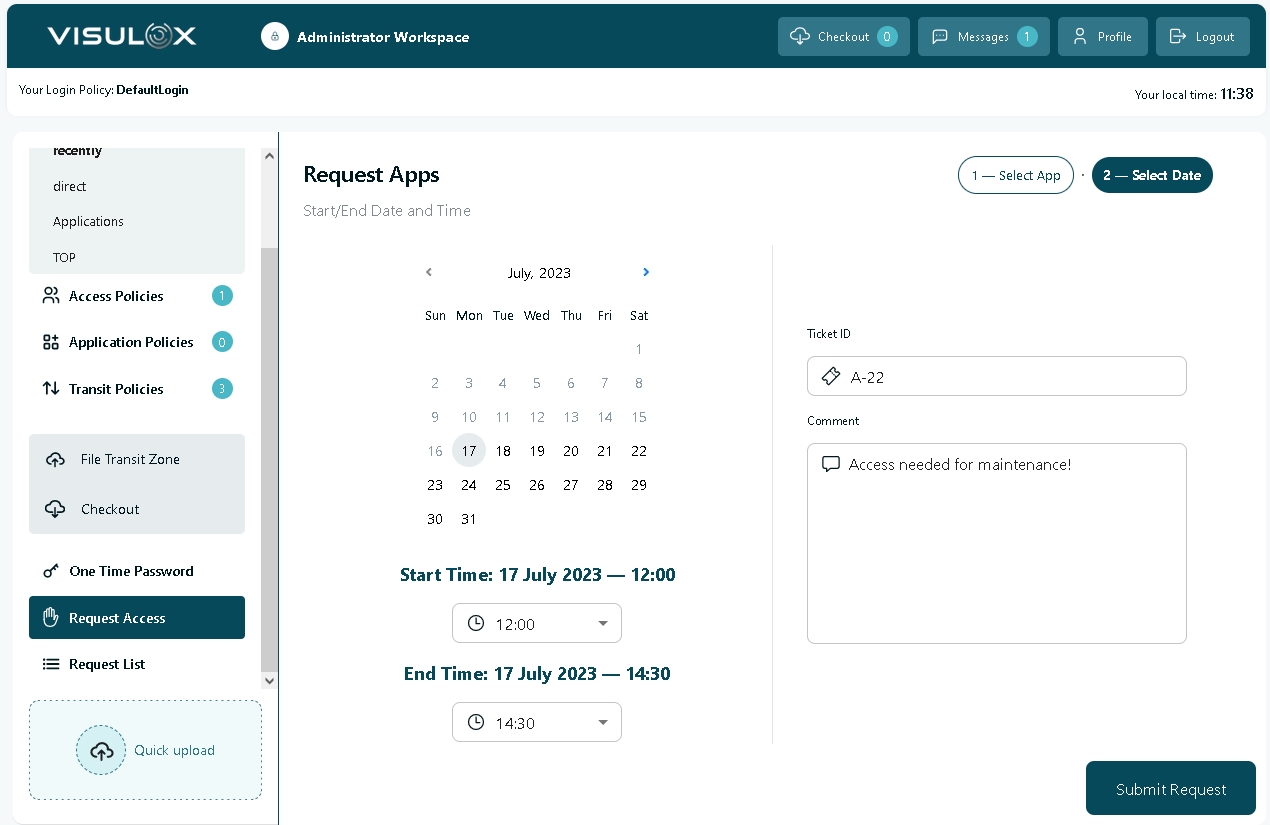 |
The user can request access for all selected applications. He has to enter a time frame, the ticket ID and a comment. All is checked against the configured ruleset.
The successful submit adds an access request to the Access Policies. This request is ignored and the first applying rule should be "Deny".
A supervisor can now modify this access request to "Reject" or "Accept". "Reject" is handled as "Deny", "Accept" as "Allow".
This can be done in the Cockpit or via action link in a mail, if a request script is used.