
Printing in VISULOX
In the default VISULOX Portal setup printing is disabled. Follow this guide to setup and enable printing in VISULOX Portal. |
Requirements
The following packages are needed for printing in VISULOX:
dnf install cups

systemctl start cups
systemctl enable cups

dnf install visulox-printing-4.2.0-1.el8.x86_64.rpm
Enable printer in Workspace
To display the list of current print jobs in the Workspace, use:
visulox config -name workspace.showPrinting.expand=enable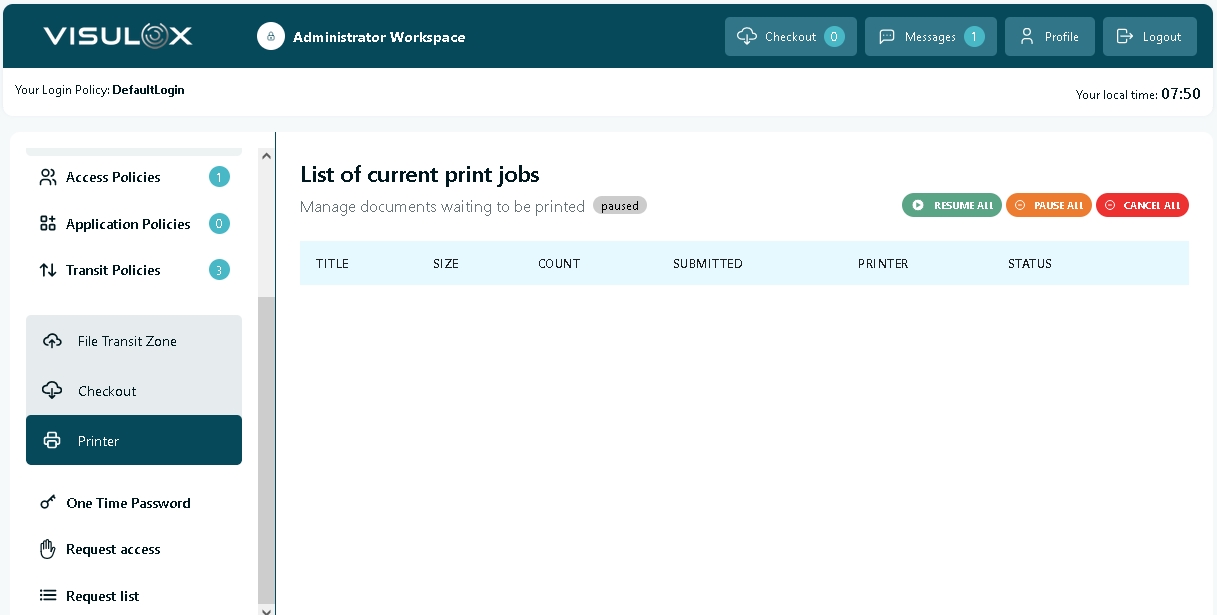
All print jobs are displayed here and can be paused, resumed and cancelled via the according buttons.
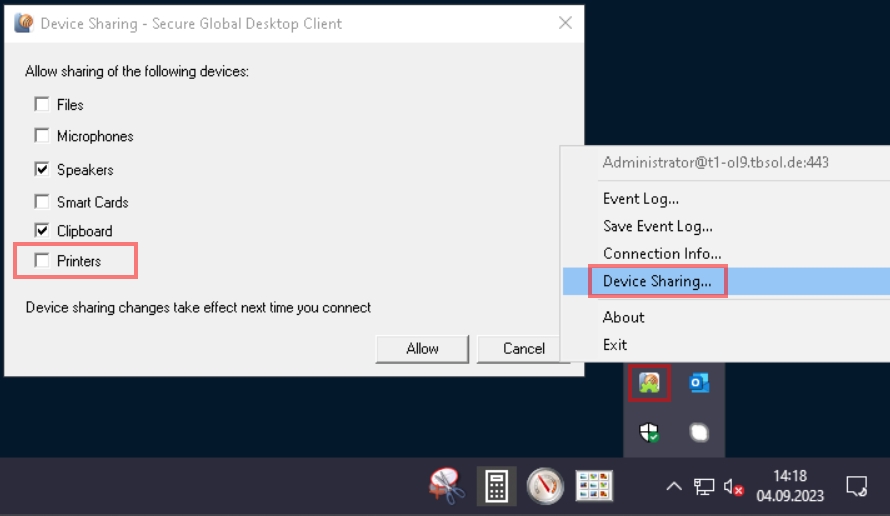
Check / enable printer device sharing for the client
Right click on the TCC-Client tray icon, select "Device Sharing..." and check "Printers":
Example setup with PDF Viewer
For a first test, the PDF-Viewer has been set as printer during installation.
Example test via shell:
lp /opt/visulox/setup/example/tiger.ps

(type lp must be /opt/tarantella/bin/lp)
For this test command, make sure that the following lines are not commented in /etc/ttaprinter.conf:
LPDEST=tta_pdfviewer export LPDEST #TTA_HOST=<hostname>
PATH=/opt/tarantella/bin:$PATH export PATH
Check status
Check the setup with the lpstat and visulox-portal print status command:
lpstat -p -d
printer tta_pdfviewer is idle.  enabled since Thu 07 Sep 2023 07:04:58 AM CEST
no system default destination

visulox-portal print status
<host.domain>:
 - Printing services available
 - Jobs spooled: 0
Troubleshooting
If print jobs are not shown in Workspace as expected, use the following command:
visulox-portal print cancel --allDelete files in the spool folder:
rm -rf /opt/tarantella/var/spool/*Then restart the services.