
Welcome EXT Policy
AboutBased on the Access Point it is possible to display a message on the login page. This piece of information has a time interval, from when and how long the information will be presented to the user before login. The text can be entered manually or chosen from a text catalog (see also: Messages in VISULOX). |
Definition |
|
Presentation |
|
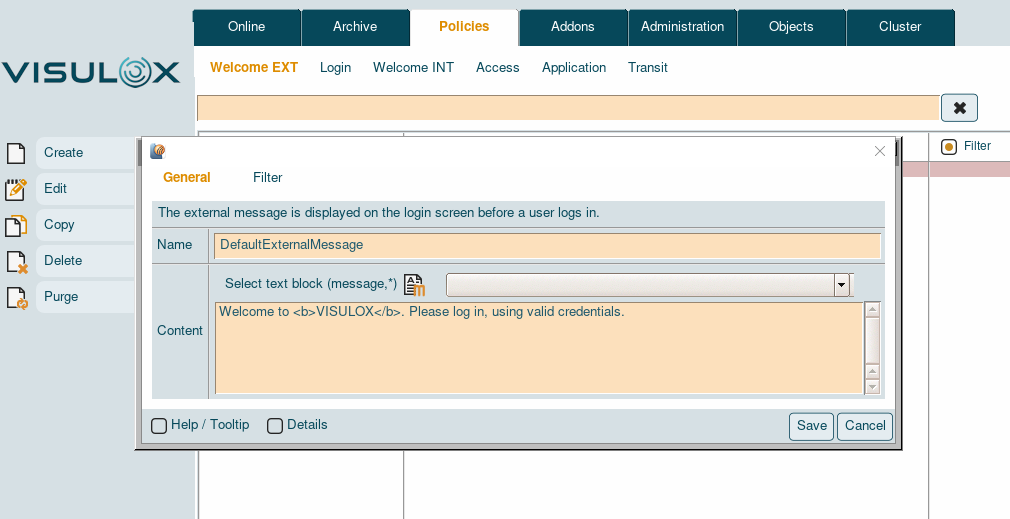
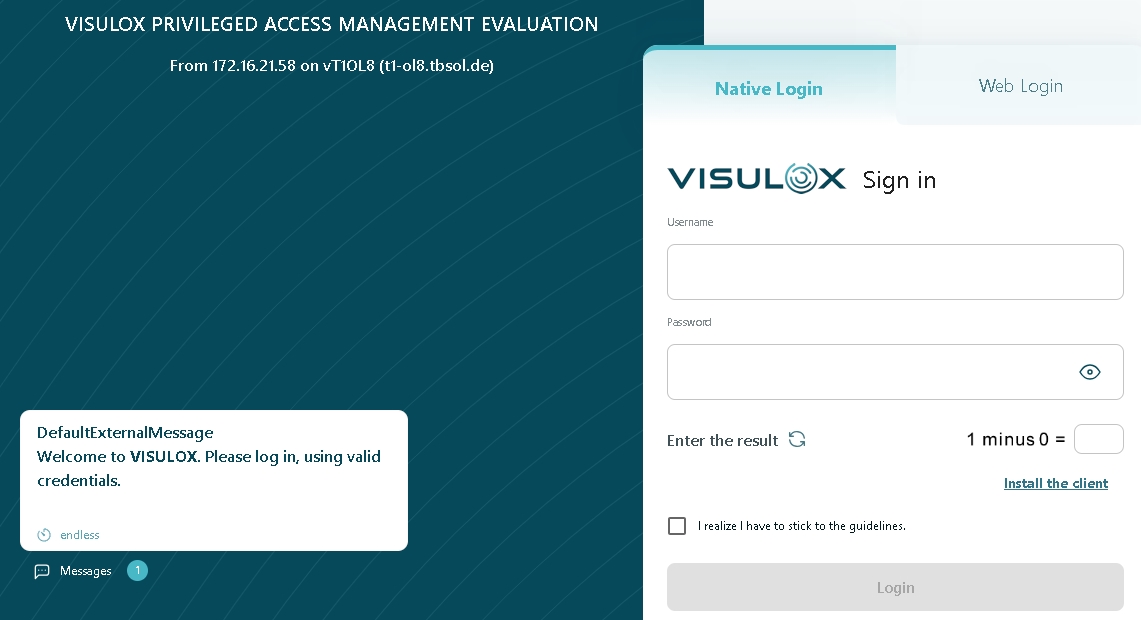
Allowed tags in messages
| Modes | Tag |
|---|---|
| bold | <b>text</b> |
| center | <center>text</center> |
| italic | <i>text</i> |
| line break | <br> |
| horizontal line | <hr> |
| link | <a href="link">link text</a> (Be careful: only one link per line!) |
Allowed placeholders in messages
| %OWNER% | %HOST% | %NODE% | %GWIP% | %SYSTEMID% |
| %OWNERID% | %HOSTSHORT% | %RIP% | %GWIPLAST% | %LICENSE% |
%OWNERSHORT% | %HOSTIP% | %AP% | %GWHOST% | %CUSTOMER% |
| %FULLNAME% | %HOSTIPLAST% | %APNODE% | %GWNODE% |
Configuration
The minimum words and the maximum length of the message can be set via a configuration parameter.
Minimum words of Welcome EXT message
visulox config list -name  entry.minwords.external_message_policy

    --------------------------------------------------------------
    | parameter                              |      type | value |
    --------------------------------------------------------------
    | entry.minwords.external_message_policy | OPERATION | 1     |
Maximum length of Welcome EXT message
visulox config list -name entry.maxlength.external_message_policy

    -----------------------------------------------------------------
    | parameter                               |      type | value   |
    -----------------------------------------------------------------
    | entry.maxlength.external_message_policy | OPERATION | default |
    -----------------------------------------------------------------
If default is set, the default value will be used for the message. These default values can also be adjusted:

All configuration parameters set to default will also have the new values after these settings are changed.
visulox config list -name entry.minwords.default

    ----------------------------------------------
    | parameter              |      type | value |
    ----------------------------------------------
    | entry.minwords.default | OPERATION | 0     |
    ----------------------------------------------

visulox config list -name entry.maxlength.default

    -----------------------------------------------
    | parameter               |      type | value |
    -----------------------------------------------
    | entry.maxlength.default | OPERATION | 255   |
    -----------------------------------------------
All external login messages can be disabled with:
visulox config -name design.ui4.loginmessages=false