
How to setup VISULOX end2end monitoring
AboutVISULOX end2end has a server and a client side component. On the server side the end2end server component has to be installed on For the client side two RPM packages have to be installed on an external Linux server. Login into the VISULOX PORTAL and launching an application will be executed automatically. |
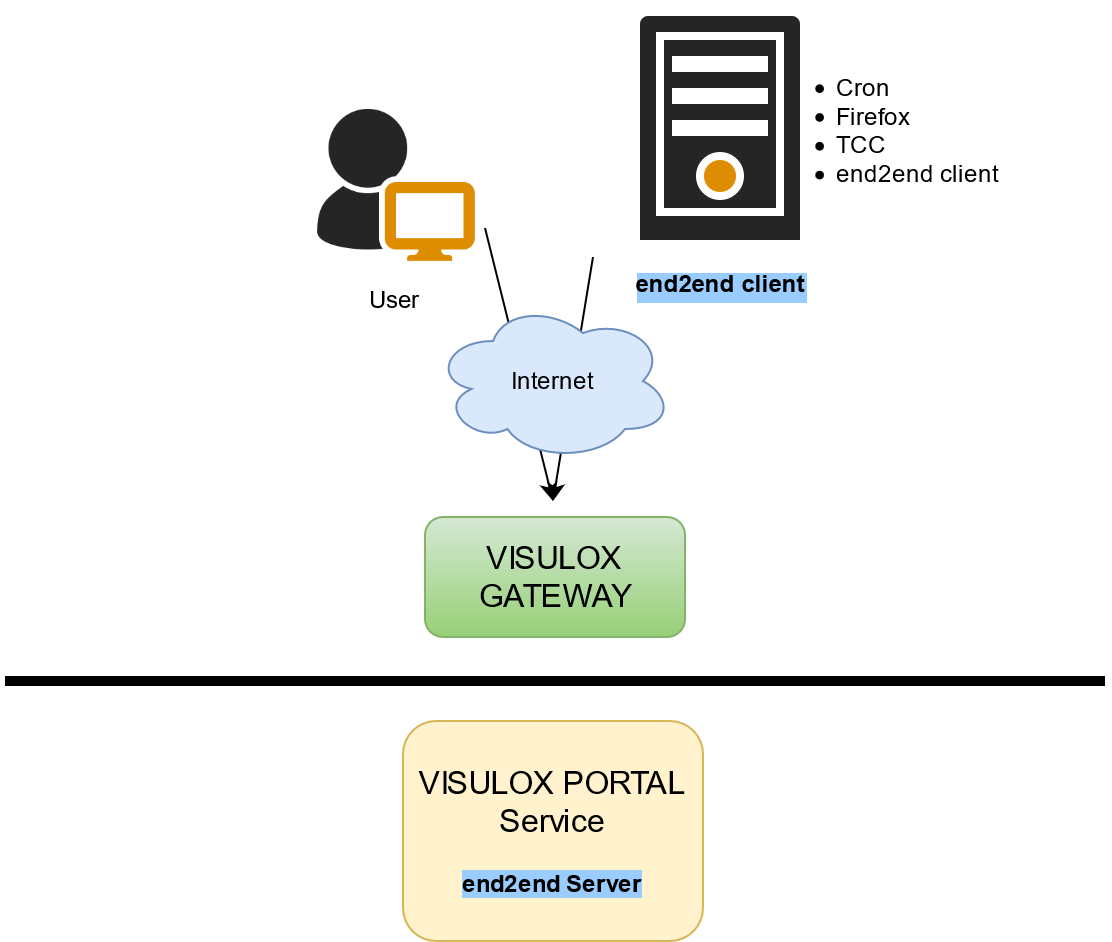
Setup on the VISULOX Access Node
The following setup script has to be launched on the VISULOX Access Nodes:
setupEnd2End.sh on the server side
/opt/visulox/setup/monitoring/setupEnd2End.shWith this script a configuration file is created that has to be copied to the end2end client.
The setup creates 1+n applications, n is the number of nodes in the cluster.
With the parameter -id <nodename> the availability of a certain node can be tested.

Added end2end default applications and user profile:
| |
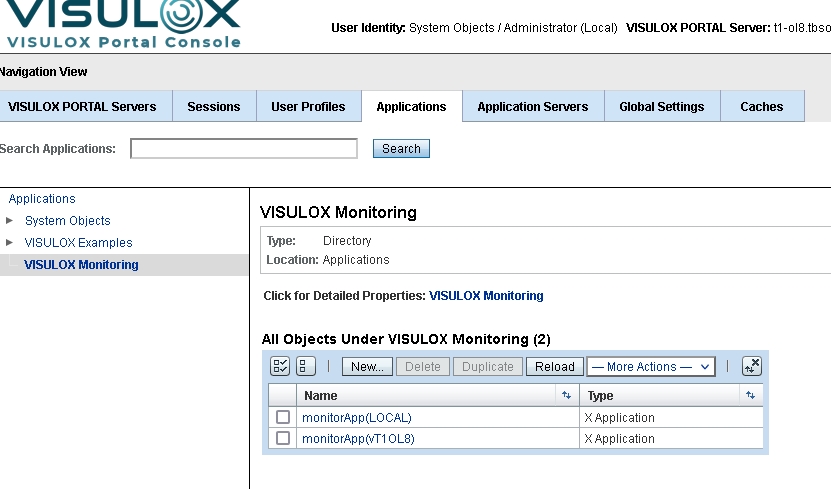
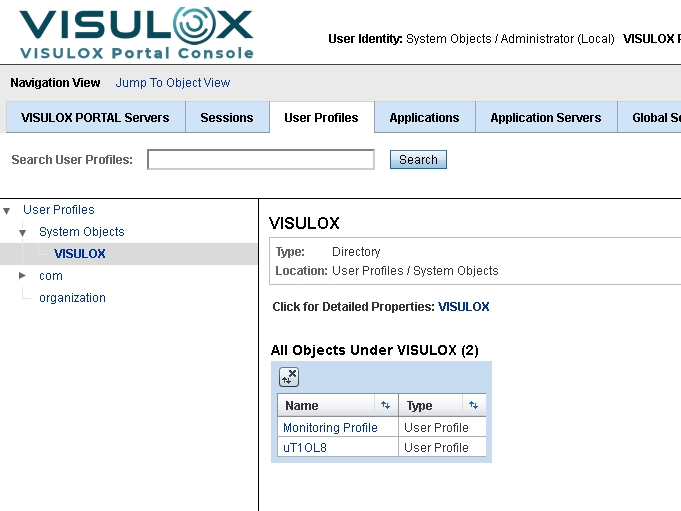
Own monitoring applications can be added manually as well, for example:
o=applications/ou=VISULOX Monitoring/cn=monitorApp(XSTRESS)Then this application can be addressed with -id XSTRESS.
Installing the end2end client
To install the end2end client, the VISULOX RTE package and the VISULOX End2End package is needed.
yum update
yum install visulox-rte-1.2.0-1.el8.x86_64.rpm
yum install visulox-end2end-4.0.0-1.rpm
Copy the created configuration file from the VISULOX Portal Server to the /opt/visulox-end2end/ directory.
Basic example for running the end2end client from CLI:
Example with no cert check
visulox-end2end -nocheck -clientname T1-TEST -secretfile  end2end-client.conf  https://<host.domain>

2023-07-20 09:57:24.413 :   CERT :Verification error: self signed certificate
2023-07-20 09:57:24.451 :   INFO :login
2023-07-20 09:57:25.561 :   INFO :startClient
2023-07-20 09:57:31.810 :   INFO :startApp
2023-07-20 09:57:41.380 :   INFO :done (2)
2023-07-20 09:57:41.380 :   INFO :logout
Duration : 17s
end2end client parameters:
visulox-end2end options:

 -headless            run in  headless mode
 -clientname value    Alternate Clientname <>
 -secretfile value    Alternate Secretfile <>
 -id value            App ID <LOCAL>
 -startport value     Xvfb Port <100>
 -timeout value       maximum time to start application  <15>
 -nocheck             no cert check
 -quiet               only the duration result
 -debug               debugging
 -curl                print CURL Calls
 --                   Forcibly stop option processing
 -help                Print this message
 -?                   Print this message
Use the parameter -nocheck with care. The monitoring only works with root certificates known by the client.
With -headless the test can be done via X11 (important for the Cron implementation)
With -clientname an information can be added to the end2end.sh record to see the different clients, if more than one portals are tested.