
How to assign a fixed username
OverviewDepending on the setup, sometimes an automatic access with a fixed username is needed. This article explains different methods to achieve this. A fixed user is not the Unix username or Windows username of the logged-in user. Depending on the setup a password is needed for that fixed user. The user credentials to the application server can be controlled with vlxuser / vlxpwd in the application definition. If no user should be set, so that the login mask is always shown, this can also be achieved with the vlxRdpNoUser.exp expect script. For the VISULOX Addons the vlxSSO=1 enables using the users login credentials or override these with vlxuser / vlxpwd. See: How to pass user credentials to an application - VISULOX Single Sign On - SSO |
Using vlxuser / vlxpwd in standard application configuration
For a standard VISULOX PORTAL integration with vlxUnix.exp or vlxWindows.exp (former: vlxRdp.exp) it is possible to assign a fixed user and password for the connection in the Hints field on the General page of the application.


For RDP applications, the domain field has to be filled out.
Former way of using vlxuser / vlxpwd in standard application configuration (outdated)
Applications using vlxUnix.exp (SSH or Telnet applications)
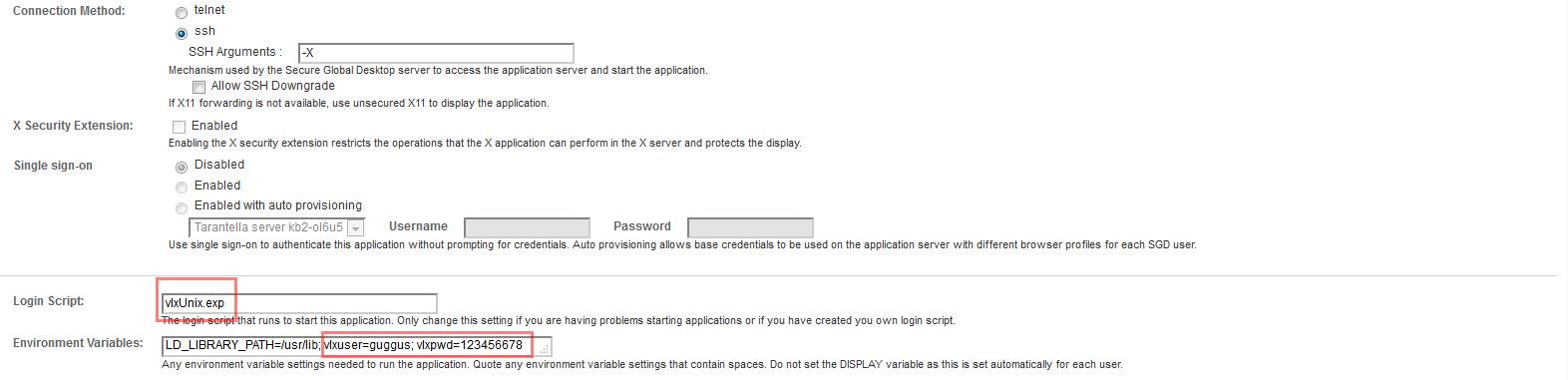
Applications using vlxRdp.exp (Windows Applications)
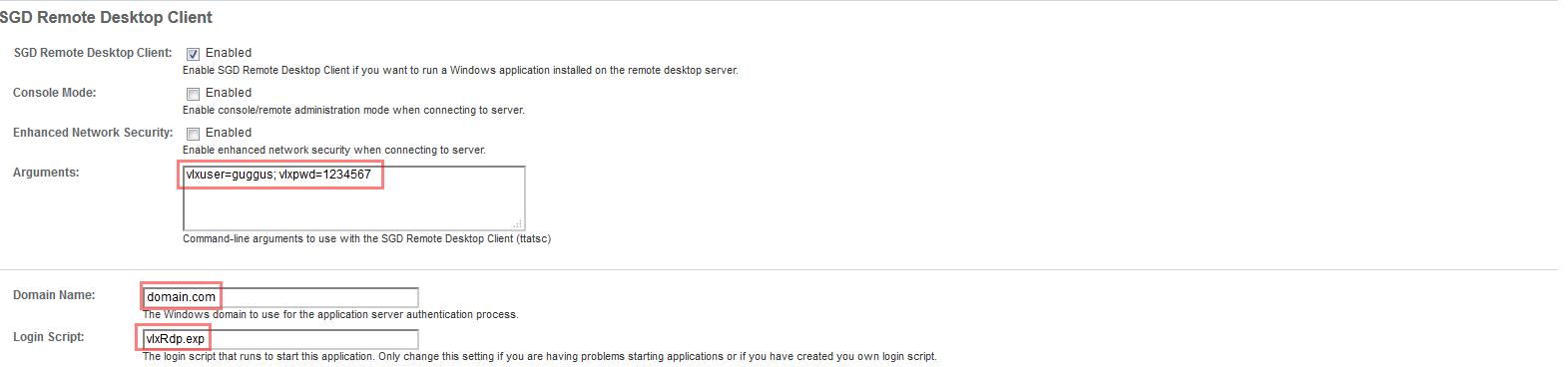
vlxRdp.exp is still usable, but vlxWindows.exp should be used for new configurations.

Arguments and Environment Variables must be seperated by a space. e.g. like shown in the example: vlxuser=guggus; vlxpwd=12345678
As login script vlxWindows.exp (new) or vlxRdp.exp (old) can be used for Windows applications.
The Hint field on the General page of the application should be used instead of the "Environment Variables" field, which is outdated.
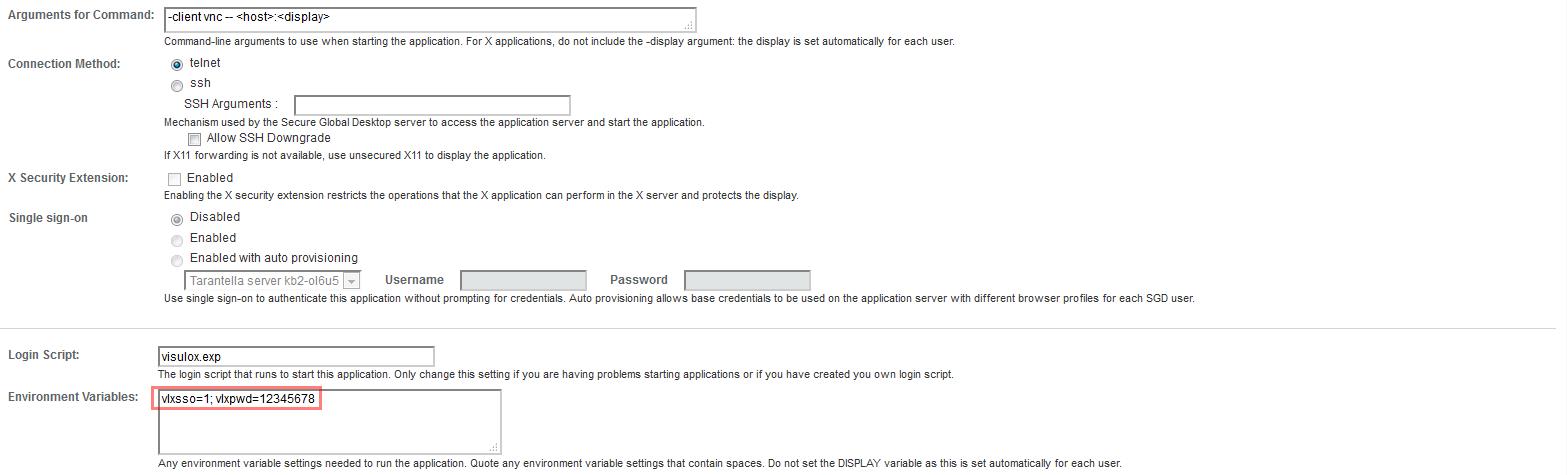
VISULOX VNC with a fixed username
Related information:
How to pass user credentials to an application - VISULOX Single Sign On - SSO
How to use SSH-Keys within Command Connect / Guard and FT Client