
VISULOX Cockpit / Objects
Overview
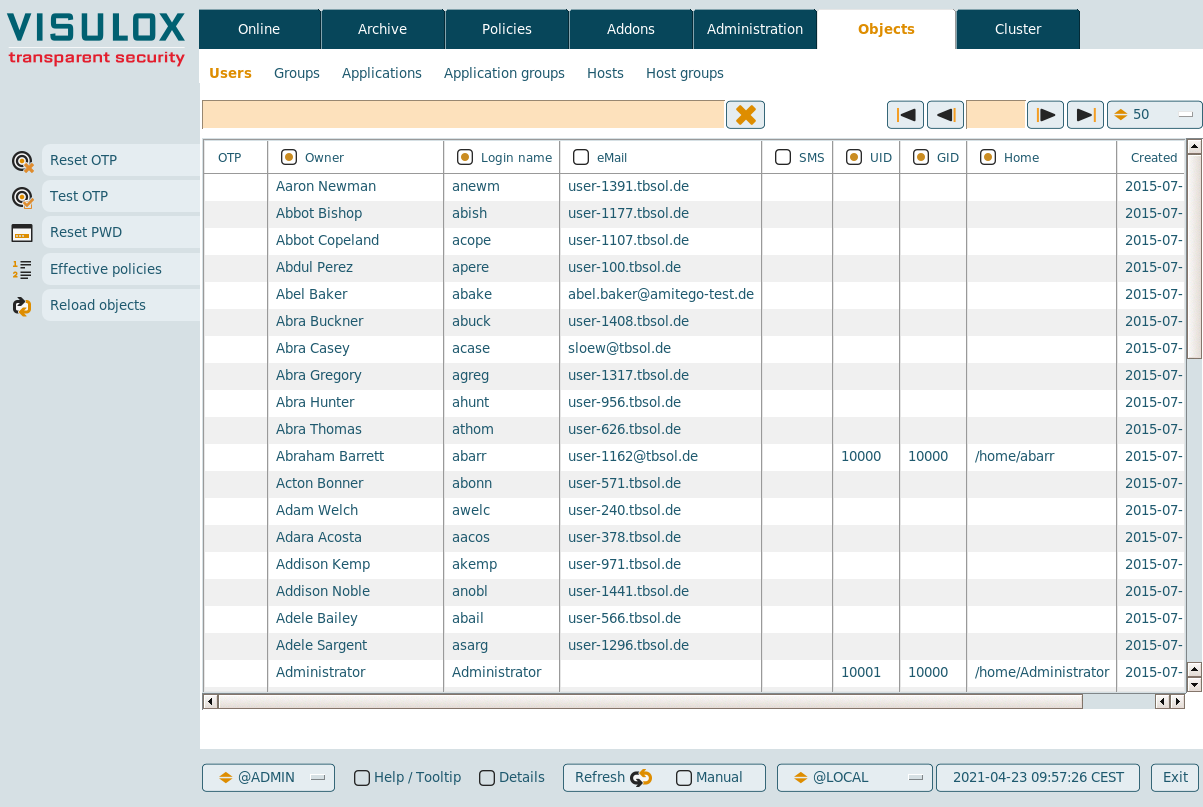
In Cockpit / Objects the users, groups, applications, application groups, hosts and host groups imported from datasources are displayed in a table.
In Objects / Users, the OTP configuration of users can be handled and passwords can be reset. The effective policies belonging to a selected user can be displayed.
It is also possible to start import from datasources manually.
In Objects / Applications applications can be edited or created and the host / service availability can be checked for the selected entry.
Available features
- Reset OTP: The OTP keys of selected users can be reset via the Reset OTP button.
- Test OTP: Test of the OTP configuration of the selected user.
- Reset PWD: Passwords can be reset for the selected AD / LDAP users.
- password.reset=true has to be set and datastore must have an AD user with the necessary rights
- password.notify can have an action script name, which will be triggered to inform the user about the new password
- Multiple passwords can be reset at once
- Information is copied to clipboard on request.
- With the command visulox pwdmgmt,, the password status can be checked and an action script can be used, e.g. if a password expires in x days
(See: How to control Password Management from the command line)
- Multiple connected datasources are supported
- Effective policies
The effective policies for an entry can be displayed: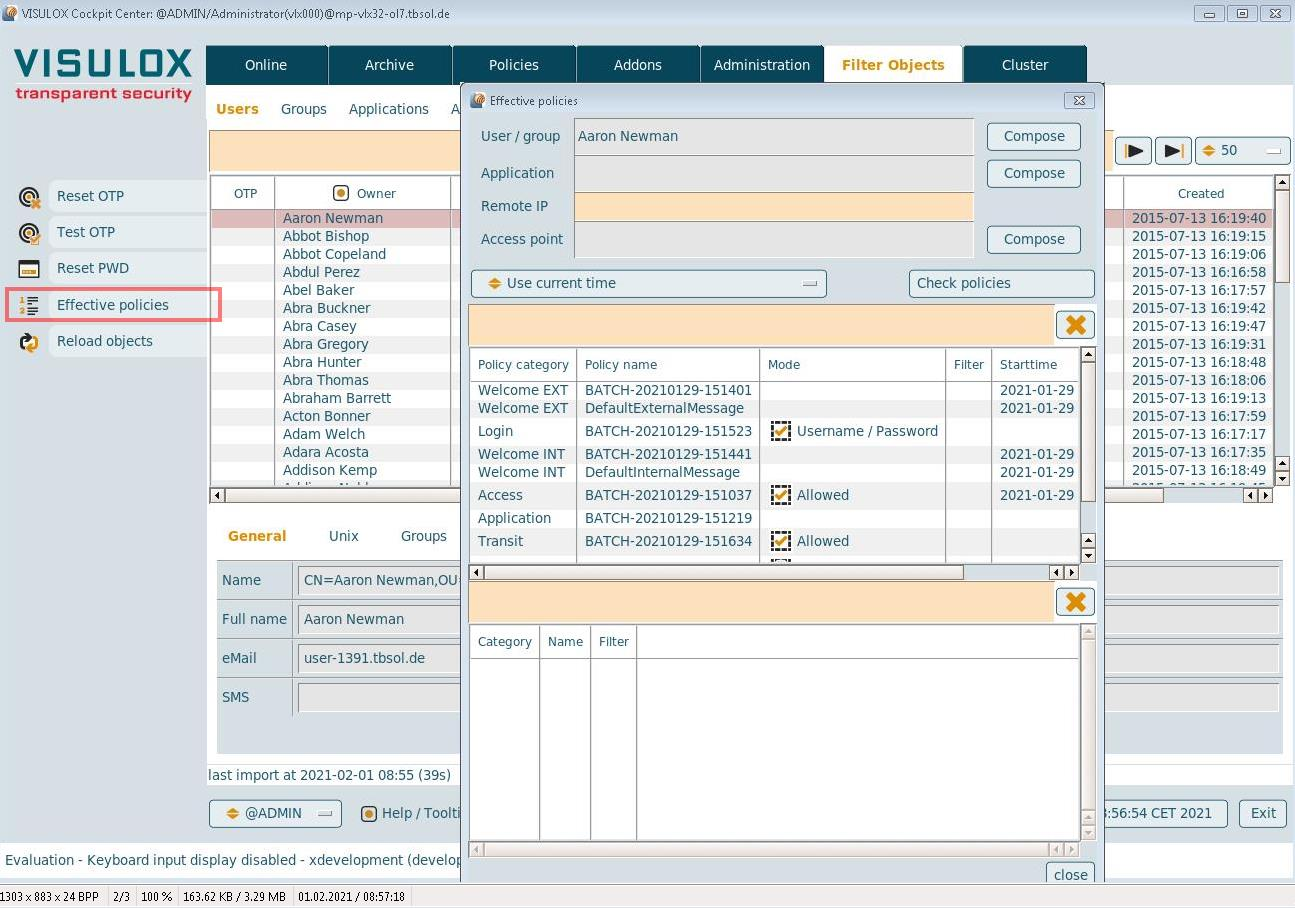
- Reload Objects
Objects are imported from the connected datasources and the duration is shown: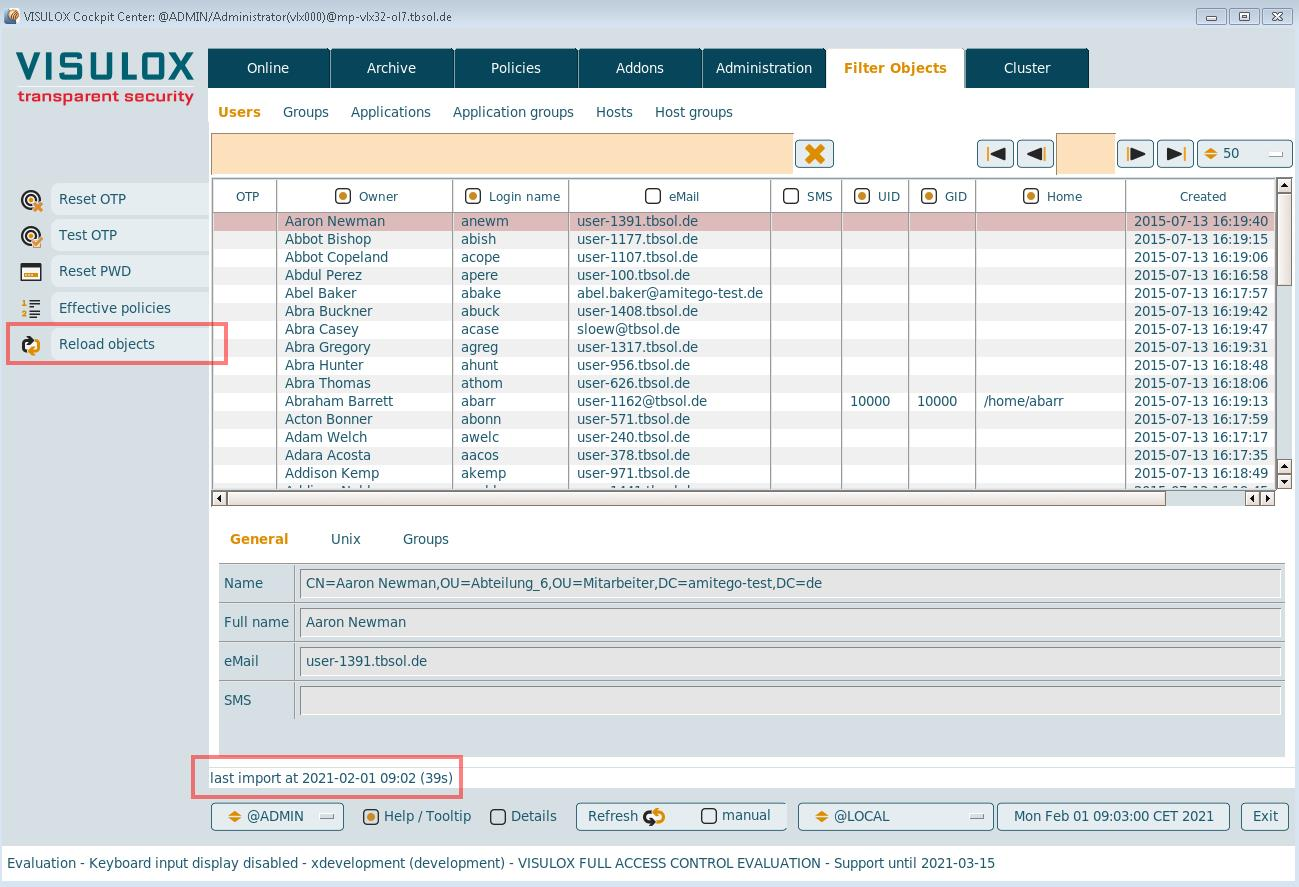
- Application Assistant
Create, edit, copy and delete commands are available for applications: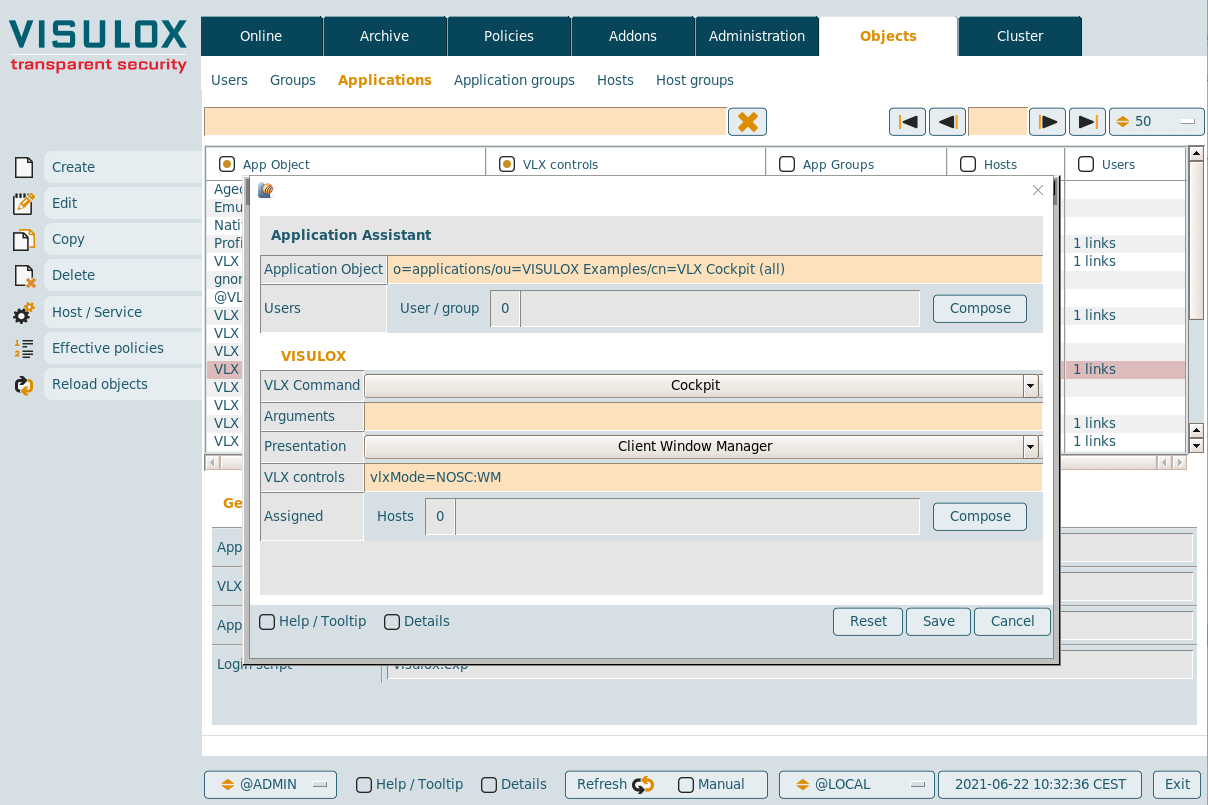
Applications can be edited or created and assigned without using the VISULOX PORTAL Console.
Character applications, dynamic applications and documents are not available.