In-time access
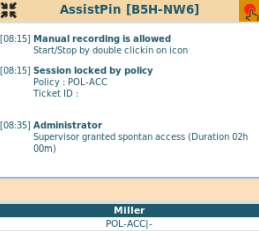
With in-time access a supervisor is able to give spontaneous access to a session locked by policy.
Processes for application access can be implemented without advanced planning.
A user logs into the VISULOX PORTAL and starts an application from his Workspace.
The user`s application is locked, if no Access Policy is found or if an Access Policy is set to denied.
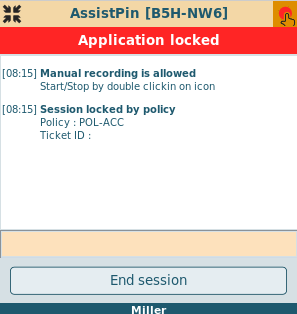

If a request script is assigned to a denied policy, a "Send Request" button is displayed, with which mails are sent to the requester and the approver, who is able to allow or reject the request via mail.
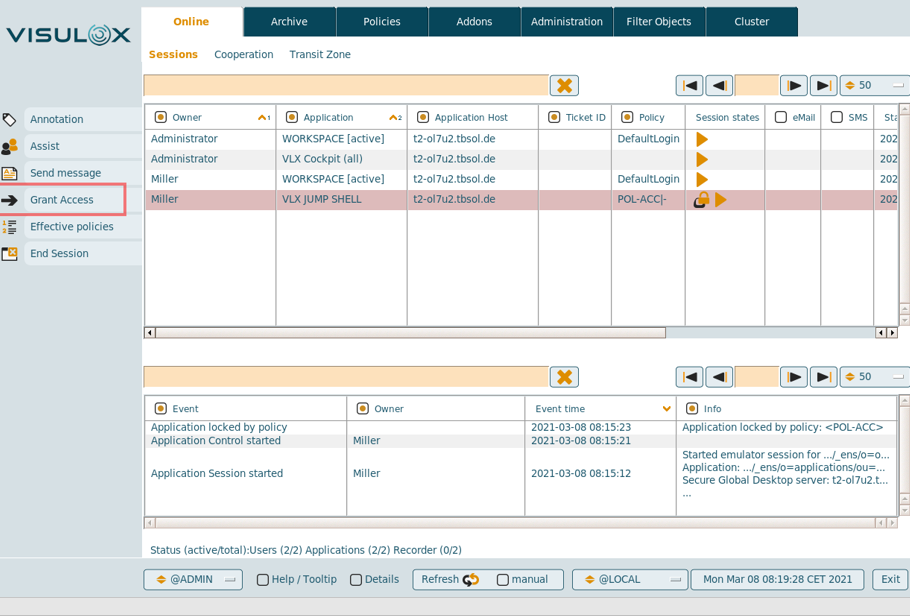
Within VISULOX Cockpit / Online, the supervisor is able to grant an in-time access for the user.
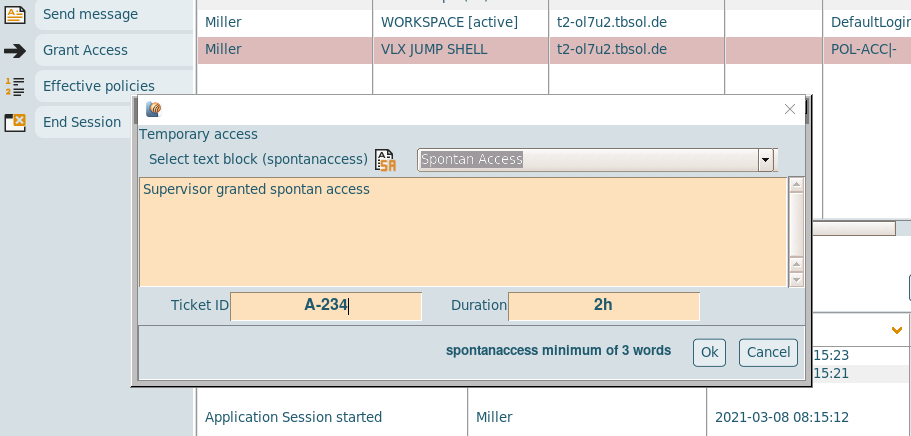
A text for the access has to be filled out and the temporary access is based on a ticket ID and a period of time. (See: Handling ticket IDs from external systems)
The value of the time period can be entered in hours (h, no unit) or in minutes (m).
Configuration parameters
| Parameter | Description | Default |
|---|---|---|
entry.defaultduration.spontanaccess | Default duration | |
entry.spontanaccess.maxduration | Max duration of temporary access | 48 |
entry.minwords.spontanaccess | Min words in comment | 3 |
entry.spontanaccess.ticketid | Reg expression for the ticket ID | ^A-.+$ |
Once the temporary access is granted, the user can work with the application: