
Host objects
Host objects are available for File Transit, Command Guard and Command Connect groups. |
Host objects
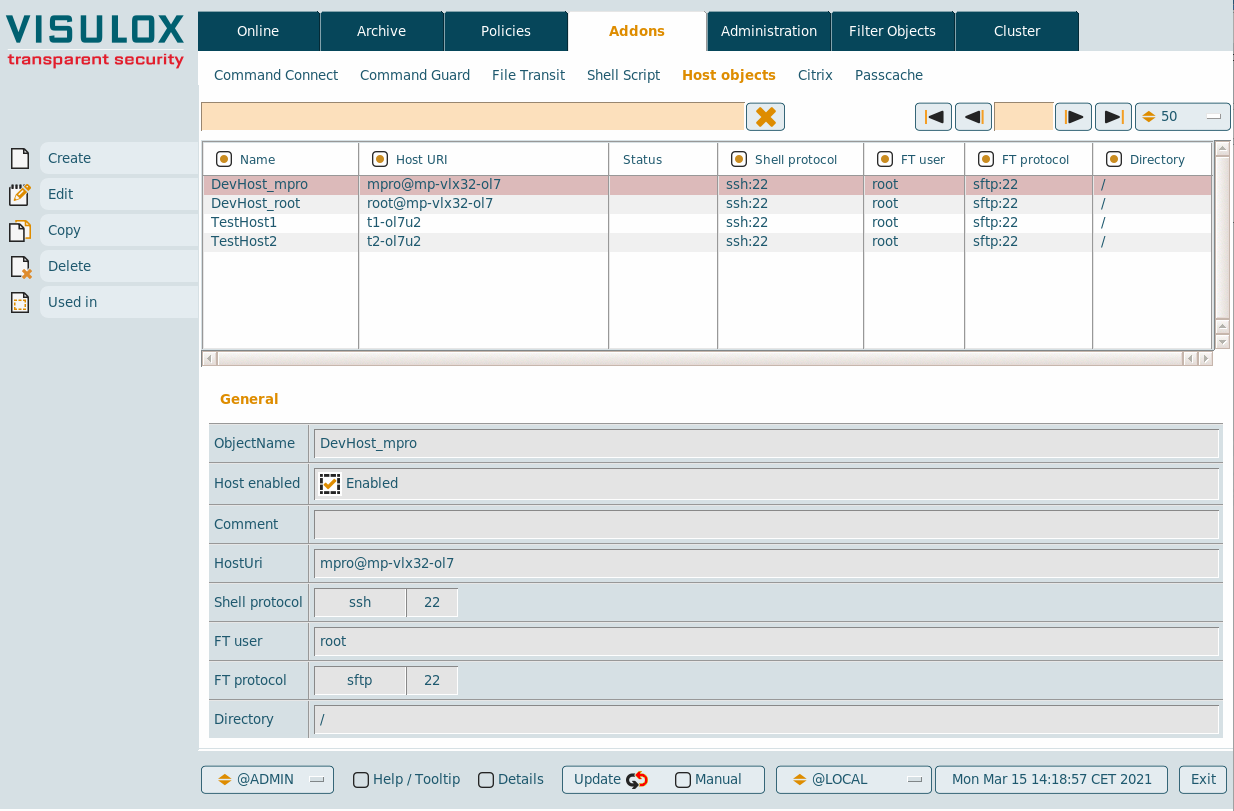
New host objects can be created and existing objexts can be edited, copied or deleted.
With the Used in button It is possible to display, where the selected host is being used
Configuration
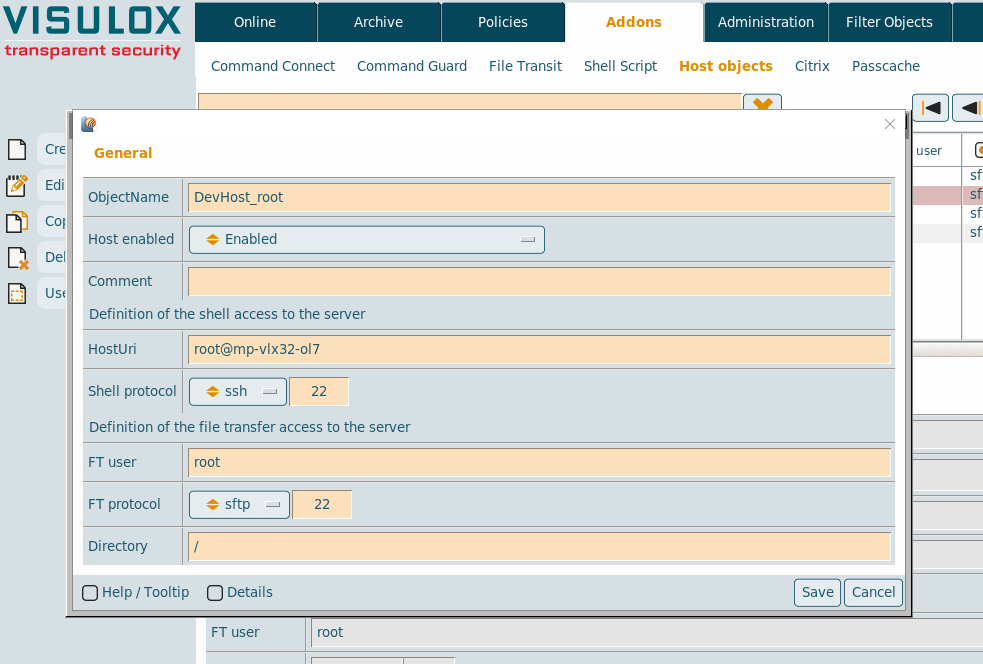
| Setting | Description |
|---|---|
| Object name | Name of the host object (must be unique) |
| Host enabled | Host enabled or disabled |
| Comment | Comment for the host |
| Host URI | Uniform Ressource Identifier: <user>@<host>, <host>, %USER%@<host> |
| Shell protocol | Shell protocol: SSH or Telnet and the port |
| FT user | File Transfer user for the access to the server |
| FT protocol | File Transfer protocol: SFTP, FTP.active or FTP.passive and the port |
| Directory | The base directory on the server |
%USER% variable
- %USER *% will always be replaced with the username
- Also possible: %USER%@host, %USER1%@host, %USER2%@host
- The placeholder %USER% is always replaced by "vlxloginuser"
- In case of the datastore: the name in the surname field (SN)
- In case of Active Directory: the SAMAccountName
- In case of LDAP: the UID
Assigning a new host object to a Command Connect / Guard group
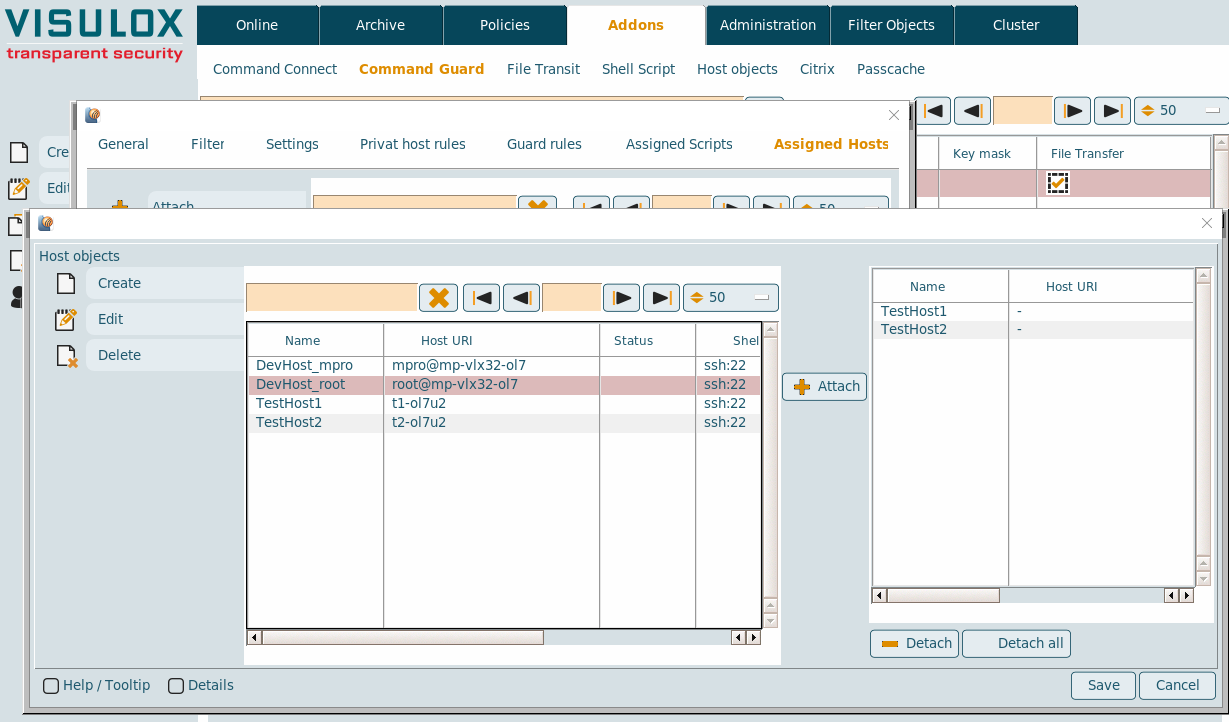
Host objects can be attached / detached from the Command Connect / Guard group.

Before hosts can be added to a new created group, the group must be saved once.
Temporary hosts group
With a right click on an assigned host, the host can be added to a temporary group (@TMP).
Hosts can be added from any available groups to combine them in the new @TMP group.